In this article
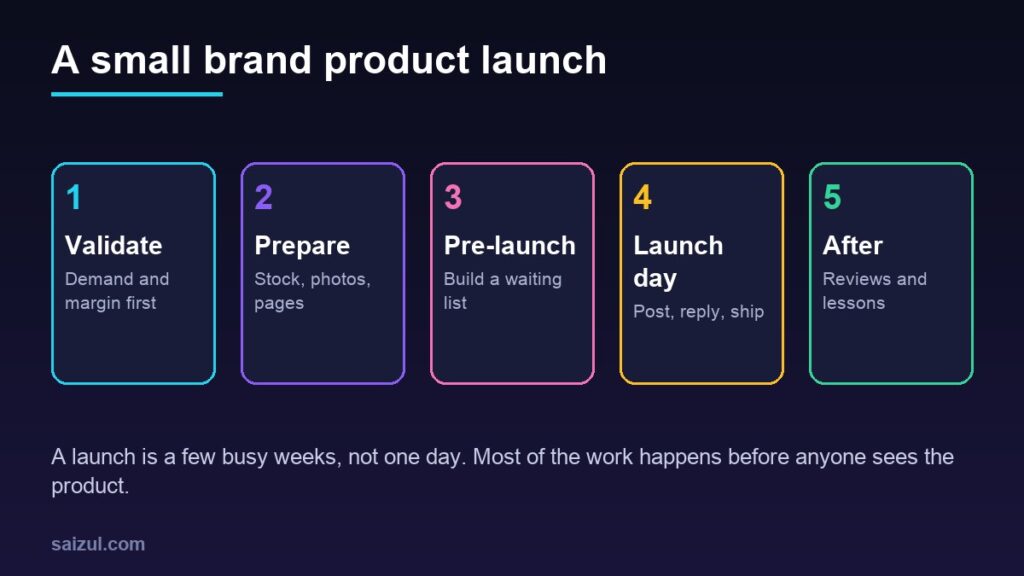
A new product is exciting, and that excitement is exactly what makes launches go wrong. A small brand posts a beautiful photo, the messages start coming in, and then the problems appear: the size chart is missing, the product page has the wrong price, the courier has not been told, half the stock is still at the supplier and nobody is answering the inbox at midnight. A checklist does not make a product succeed, but it stops avoidable mistakes from wasting the attention you worked hard to get. This one is written for small online brands selling through social media, a marketplace or their own website.
From my own work: When I help a small brand with a launch, the website side is usually ready on time. The gaps I see most often are elsewhere: no plan for answering messages on launch day, stock that arrives late, and nobody checking that the price on the ad, the post and the product page all match.
If this is your very first product and you have no audience yet, read how to get your first customers alongside this checklist.
Stage 1: Validate before you invest (6 to 8 weeks before)
- Check demand. Search for the product on Google, Facebook and marketplaces. Look at what competitors sell, their prices and their reviews. My guide to keyword research shows how to see what people search for.
- Ask real customers. Show samples or photos to existing followers or buyers and ask what they would pay. Interest in comments is good; people asking how to order is better.
- Work out the margin. Product cost, packaging, delivery, payment or marketplace fees, returns and ad cost per order. See how to price products for an online store.
- Start with a small batch if you can, so a slow seller does not leave you with a store room full of stock.
Stage 2: Prepare the product and the shop (3 to 6 weeks before)
Stock and operations
- Confirm delivery dates with the supplier in writing, and plan for delays.
- Check quality on the first batch before photos and before launch.
- Decide packaging, inserts and labels.
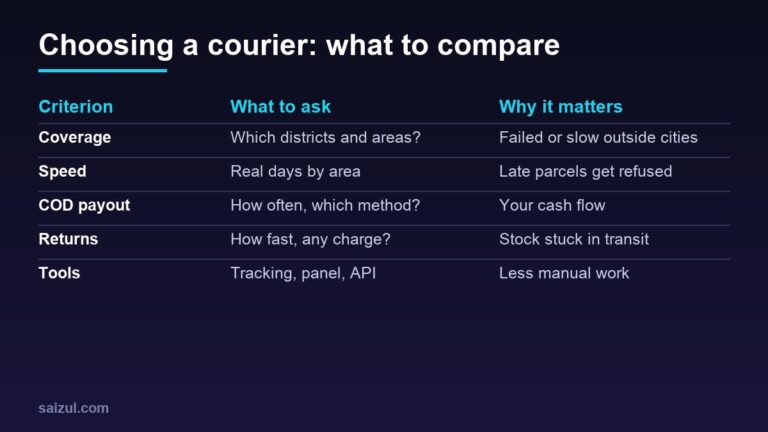
- Tell your courier about expected volume, and confirm charges and pickup times.
- Set up stock tracking so you never sell what you do not have; see inventory management for online stores.
Photos, video and product information
- Shoot the real product: several angles, close-ups, the product in use and a size reference. See product photography with a smartphone.
- Record one or two short videos for reels and stories.
- Write the description: material, measurements, what is included, care and warranty. See how to write product descriptions that sell.
- Prepare a size chart or comparison table if buyers will ask.
Product page and checkout
- Create the product page with the final price, variations and stock, and keep it hidden or unpublished until launch.
- Follow product page SEO basics: a clear title, a unique description and descriptive image file names and alt text.
- Test the full order on a phone: add to cart, delivery charge, payment, confirmation message and email. See how to reduce cart abandonment.
- Check your payment options and your returns policy page; see accepting online payments in Bangladesh and the returns and refunds policy guide.
Legal and registration
Make sure the business itself is ready to sell. In Bangladesh, the government’s DBID site says new businesses should apply for a Digital Business Identification number before starting business on a digital platform, including a web page or social media page, and that processing can take up to 60 working days (DBID application information). If you need it, apply early. Elsewhere, check the registration, labelling and tax rules for your product and country.
Stage 3: Set up tracking and listings (2 to 3 weeks before)
- Analytics: make sure purchases or enquiries are recorded; see Google Analytics 4 for beginners.
- Ads tracking: if you will run Facebook or Instagram ads, test your Pixel and events; see Facebook Pixel and Conversions API setup.
- Google Shopping: if you use Google Merchant Center, its product data specification says the price and availability you submit must match your landing page, and the price must also match checkout. Titles and descriptions should describe the product accurately without promotional text, and product images must be at least 500 by 500 pixels, with Google enforcing this from 31 January 2027 (product data specification). My Merchant Center setup guide covers the rest.
- Search indexing: once the page is public, you can request indexing with the URL Inspection tool in Search Console or rely on your sitemap. Google says crawling can take from a few days to a few weeks and that a request does not guarantee the page will appear in results (ask Google to recrawl). See Search Console for beginners.
Stage 4: Build interest before launch (1 to 2 weeks before)
- Tease, do not tell everything. Share behind-the-scenes photos, a close-up of the fabric or packaging, or a short video of the product being made.
- Collect a waiting list. Ask interested people to message you, join a WhatsApp list or sign up by email so you can tell them first. See WhatsApp Business for e-commerce and email marketing automation.
- Plan the posts. Write and schedule the launch week posts in advance with a content calendar.
- Send samples to a few trusted customers or local creators, and ask for honest feedback and permission to share it.
- Prepare reply templates for the common questions: price, sizes, delivery time and charge, payment options and returns. See customer service for online stores.
Stage 5: Launch day
- Publish the product page and check it on a phone: price, stock, photos and checkout.
- Tell the waiting list first, then post on your main channels.
- Start ads only after the page and tracking are confirmed working, with a small budget you can increase.
- Have someone on messages and comments throughout the day, especially in the evening when many people shop.
- Confirm orders quickly and pack them the same or next day.
- Keep a notes file of questions, problems and ideas as they come up.
Stage 6: The first month after launch
- Follow up with buyers after delivery to check they are happy, and ask for a review.
- Watch returns and complaints closely. A pattern, such as sizes running small, means the listing needs fixing.
- Review the numbers weekly: orders, ad cost per order, returns and real profit.
- Restock or stop. Reorder what sells well; do not reorder what does not just because the launch was exciting.
- Write down lessons for the next launch: what worked, what was late, what you would skip.
Common mistakes
- Ordering large stock before testing demand.
- Launching before the stock has actually arrived.
- Different prices on the ad, the post and the product page.
- No one available to answer messages on launch day.
- Starting ads before tracking works.
- Stopping all promotion after the first week.
Quick checklist
- Demand checked and margin worked out per order.
- Stock confirmed, quality checked and courier informed.
- Real photos, short video, description and size chart ready.
- Product page built, checkout tested on a phone, policies visible.
- Registration in place where required.
- Analytics, ads tracking and product feeds tested.
- Waiting list, scheduled posts and reply templates ready.
- Messages covered on launch day, orders shipped quickly.
- Weekly review for the first month, then restock or stop.
Need help with this on your own site or business?
I build and secure WordPress sites, web apps and AI automations end to end, in Bangla and English: a free discovery call, a written scope with a fixed quote, a focused first version, then testing, deployment and monitoring.
See the portfolio and the AI agent services, or tell me what you need.
FAQ
How far in advance should I plan a product launch?
For a small online brand, six to eight weeks is a comfortable lead time for testing demand, getting stock, preparing photos and pages and building interest. Simple products can be launched faster if stock is already in hand.
Should I run ads on launch day?
Only once the product page, checkout and tracking are working. Start with a small budget, watch the cost per order, and increase it on the ads that bring real orders.
How do I build interest before a launch without a big audience?
Share behind-the-scenes content, invite existing customers to a waiting list, send samples to a few trusted people, and ask friends and early buyers to share honest feedback.
What if the product does not sell well after launch?
Check the basics first: price, photos, description and who saw it. Fix the listing and try a small test with a different audience or channel. If it still does not sell, stop reordering and use the lessons for the next product.
Sources

Md Saizul Amin
Digital Systems Strategist · AI Agent Developer · 9+ years in digital & ITMd Saizul Amin is a digital systems strategist and AI automation engineer from Dhaka, Bangladesh. With 9+ years across IT, web development and digital marketing, he writes practical guides on technology, business, education and online growth — and builds the same kinds of systems (AI agents, websites, SEO and ad campaigns) for clients in Bangladesh, the UK and the USA.
Specialist in
Credentials & experience
- 🎓B.Sc. in Computer Science & EngineeringBangladesh University of Business & Technology (BUBT), 2017–2021
- 🤖AI Automation Engineer · Web Developer · SEO SpecialistUnique Mark Limited, Birmingham UK — 2024 to present
- 🌱IT SpecialistGreen Fund Initiative Inc., USA — 2024 to present
- 🏥Junior IT Consultant — Ministry of Health (DGHS)Built the first national Shareable Health Record website; supported 6,000+ facilities
- 🧭Head of ITWEDO Bangladesh — led IT for 50+ staff, 2021–2023