
In this article
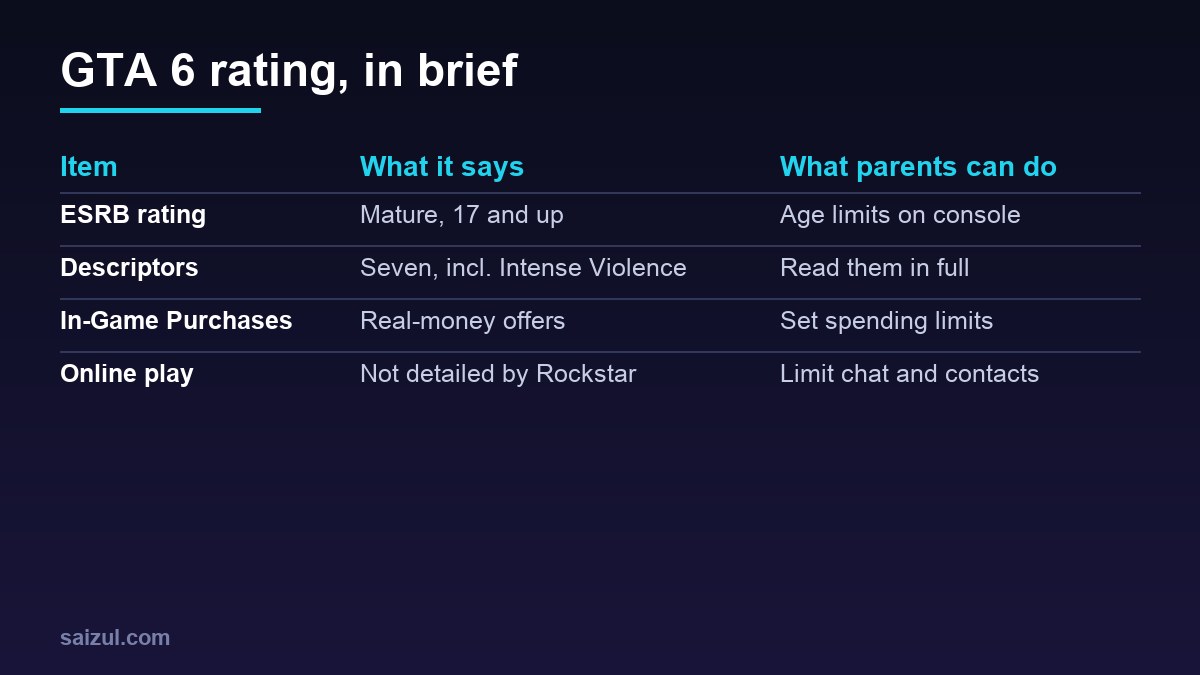
What is the GTA 6 age rating? Grand Theft Auto VI is rated M for Mature by the ESRB, the rating board used in North America. Rockstar’s GTA VI page lists the content descriptors Blood and Gore, Intense Violence, Mature Humor, Nudity, Strong Language, Strong Sexual Content and Use of Drugs and Alcohol, plus In-Game Purchases. If you are a parent or carer, this guide explains what each of those means in plain language and shows you how to set up parental controls on PS5 and Xbox Series X|S before the game launches on 19 November 2026.
From my own work: A few parents asked me about GTA 6 while I was putting the launch pages together, usually because a child had already asked for it. I am not here to tell you what to allow. I just want you to have the official rating and the actual menu steps in one place.
GTA 6 age rating: ESRB Mature 17+
The ESRB says Mature-rated content “is generally suitable for ages 17 and up”, and that such games may include intense violence, blood and gore, sexual content and strong language (ESRB ratings guide). Rockstar’s Grand Theft Auto VI page shows the Mature rating with the descriptors below.
A note on store pages: when I checked on 15 November 2026, the ESRB Mature rating was shown on Rockstar’s page, while the Xbox store page for the game still showed “Rating Pending”. Store listings can lag behind, so the rating and descriptors on Rockstar’s page are the ones used in this guide.
PEGI: a PEGI rating was not shown on Rockstar’s GTA VI page when I checked. If you live in Europe or another region that uses PEGI or a national rating, check the game’s listing in your local console store, where the local rating is shown.
What each content descriptor means
| Descriptor on GTA VI | ESRB’s general meaning |
|---|---|
| Blood and Gore | Depictions of blood or the mutilation of body parts |
| Intense Violence | Graphic, realistic-looking physical conflict, which may involve extreme blood, gore, weapons and human injury or death |
| Mature Humor | Jokes or dialogue aimed at adults, which can include sexual references |
| Nudity | Graphic or prolonged depictions of nudity |
| Strong Language | Explicit and/or frequent use of profanity |
| Strong Sexual Content | Explicit and/or frequent depictions of sexual behaviour, possibly including nudity |
| Use of Drugs and Alcohol | The consumption or use of illegal drugs and of alcoholic beverages |
These are the ESRB’s general definitions from its ratings guide, not a description of specific scenes in GTA 6. Rockstar’s own setting description, “a criminal conspiracy stretching across the state of Leonida”, also makes clear that crime is at the heart of the story.
What “In-Game Purchases” means
The ESRB uses In-Game Purchases for games that contain “in-game offers to purchase digital goods or premiums with real world currency.” That can include things like extra items or currency. Rockstar has not detailed on its GTA VI page what will be on sale in the game, so the safest approach is to set a spending limit before launch, whatever your child’s age.
PS5 parental controls, step by step
These steps come from PlayStation’s support page (PlayStation Support). You need to be the family manager, or a parent or guardian in the family, and your child needs their own child account in your family.
- On the PS5, go to Settings > Family and Parental Controls > Family Management, then select your child.
- Age level for games: choose the age level for games and apps. A game rated above that level will need your permission.
- Spending: select Parental Controls > Monthly Spending Limit. PlayStation notes the limit is set to 0 by default, so only raise it if you want your child to buy content.
- Play time: use Playtime Settings to set schedules, and Change Playtime for Today for a one-off change.
- Communication: select Communication and User-Generated Content and choose Restrict. This blocks text messages and voice chat with other players, and blocks sharing and viewing user-generated content.
- Quick presets: PlayStation offers restriction levels such as “Child”, “Early Teens” and “Late Teens or Older” as a starting point.
If your child asks to play a game that is blocked, you can review the request from your notifications. You can also manage most of these settings from the PlayStation Family app on your phone.
Xbox parental controls, step by step
Xbox family settings work through a Microsoft family group. Xbox’s family hub explains the options (Xbox family hub):
- Create a family group and add your child’s Microsoft account. You can do this in the Xbox Family Settings app or at account.microsoft.com/family.
- Filter content: set content filters based on your child’s age. Xbox says children can request access to blocked content, which you can then approve or decline.
- Screen time: create a schedule for each day of the week in the Xbox Family Settings app or your Microsoft account. You can also set limits for a specific game.
- Purchases: turn on Ask a Parent so you are asked when your child wants to buy something they cannot fund, or add a set allowance to their account. You can review purchase history too.
- Communication and multiplayer: in the privacy and online safety settings, choose whether your child can join multiplayer games, add friends and chat, and who can communicate with them.
- Activity reports: turn on activity reporting to see a summary of what your child plays.
Beyond settings: talking with your child
- Watch the official trailers together. They give you a fair sense of the tone. See every official GTA 6 trailer, in order.
- Agree rules in advance: where the console is, how long they play, and what happens with online chat.
- Talk about scams. Fake “free money” offers and account-sharing requests are common around big launches; my GTA 6 beginner guide lists the main ones.
- Revisit the settings as your child gets older.
What about GTA 6 online play?
Rockstar’s GTA VI page does not state what online features will be available at launch. The ESRB rating covers the game’s content, and online interactions with other players are a separate risk to manage. The communication settings above work regardless of the game.
FAQ
What is the GTA 6 age rating?
The ESRB has rated Grand Theft Auto VI M for Mature, which the ESRB describes as generally suitable for ages 17 and up.
What are the GTA 6 content descriptors?
Blood and Gore, Intense Violence, Mature Humor, Nudity, Strong Language, Strong Sexual Content, and Use of Drugs and Alcohol, plus In-Game Purchases.
What is the PEGI rating for GTA 6?
A PEGI rating is not shown on Rockstar’s GTA VI page. Check your local console store listing for the rating used in your country.
Is GTA 6 suitable for a 12-year-old?
The ESRB rates it Mature, generally suitable for ages 17 and up. The decision is yours as a parent; the descriptors above explain the kind of content involved.
How do I stop my child spending money in GTA 6?
On PS5, set the Monthly Spending Limit in Family Management, which is 0 by default. On Xbox, turn on Ask a Parent or use an allowance through the Xbox Family Settings app.
Can I limit how long my child plays GTA 6?
Yes. On PS5 use Playtime Settings in Family Management. On Xbox, set screen time schedules or per-game limits in the Xbox Family Settings app.
This is an independent fan guide. It is not affiliated with, endorsed by or sponsored by Rockstar Games or Take-Two Interactive. Grand Theft Auto is a trademark of Take-Two Interactive.
More GTA 6 guides
- GTA 6 release date and launch time in your time zone
- Is GTA 6 on PC? Every platform explained
- GTA 6 Ultimate Edition vs the Vintage Vice City Pack
- How to pre-load GTA 6 on PS5 and Xbox
- All 8 GTA 6 characters explained
- GTA 6 map: Leonida and its 6 named places
- GTA 6 soundtrack: The Album and the Justice score
- Every official GTA 6 trailer, in order
- GTA 6 beginner guide: get ready for your first hours
- GTA 6 Bangla guide (বাংলায় সম্পূর্ণ গাইড)
Need help with this on your own site or business?
I build and secure WordPress sites, web apps and AI automations end to end, in Bangla and English: a free discovery call, a written scope with a fixed quote, a focused first version, then testing, deployment and monitoring.
See the portfolio and the AI agent services, or tell me what you need.
Sources
- ESRB: Ratings guide
- Rockstar Games: Grand Theft Auto VI
- PlayStation Support: PS5 parental controls and spending limits
- Xbox: Family hub and family settings
Featured artwork: official GTA VI promotional art © Rockstar Games.

Md Saizul Amin
Digital Systems Strategist · AI Agent Developer · 9+ years in digital & ITMd Saizul Amin is a digital systems strategist and AI automation engineer from Dhaka, Bangladesh. With 9+ years across IT, web development and digital marketing, he writes practical guides on technology, business, education and online growth — and builds the same kinds of systems (AI agents, websites, SEO and ad campaigns) for clients in Bangladesh, the UK and the USA.
Specialist in
Credentials & experience
- 🎓B.Sc. in Computer Science & EngineeringBangladesh University of Business & Technology (BUBT), 2017–2021
- 🤖AI Automation Engineer · Web Developer · SEO SpecialistUnique Mark Limited, Birmingham UK — 2024 to present
- 🌱IT SpecialistGreen Fund Initiative Inc., USA — 2024 to present
- 🏥Junior IT Consultant — Ministry of Health (DGHS)Built the first national Shareable Health Record website; supported 6,000+ facilities
- 🧭Head of ITWEDO Bangladesh — led IT for 50+ staff, 2021–2023