
In this article
Pharmacy management software keeps track of every medicine a pharmacy buys, stores and sells, down to the batch number and expiry date, and turns the counter sale into a fast, correct bill. For a single retail pharmacy, a small chain or a hospital dispensary, the right system stops expired stock from sitting on shelves, shows which supplier bill each strip came from, warns before popular items run out and gives the owner a clear daily report instead of a cash box and a notebook. This guide explains which modules matter, how a pharmacy day runs on the system, the rules you need to respect, where automation and AI help, when ready-made software is enough and when custom work pays off, with estimated costs and a checklist.
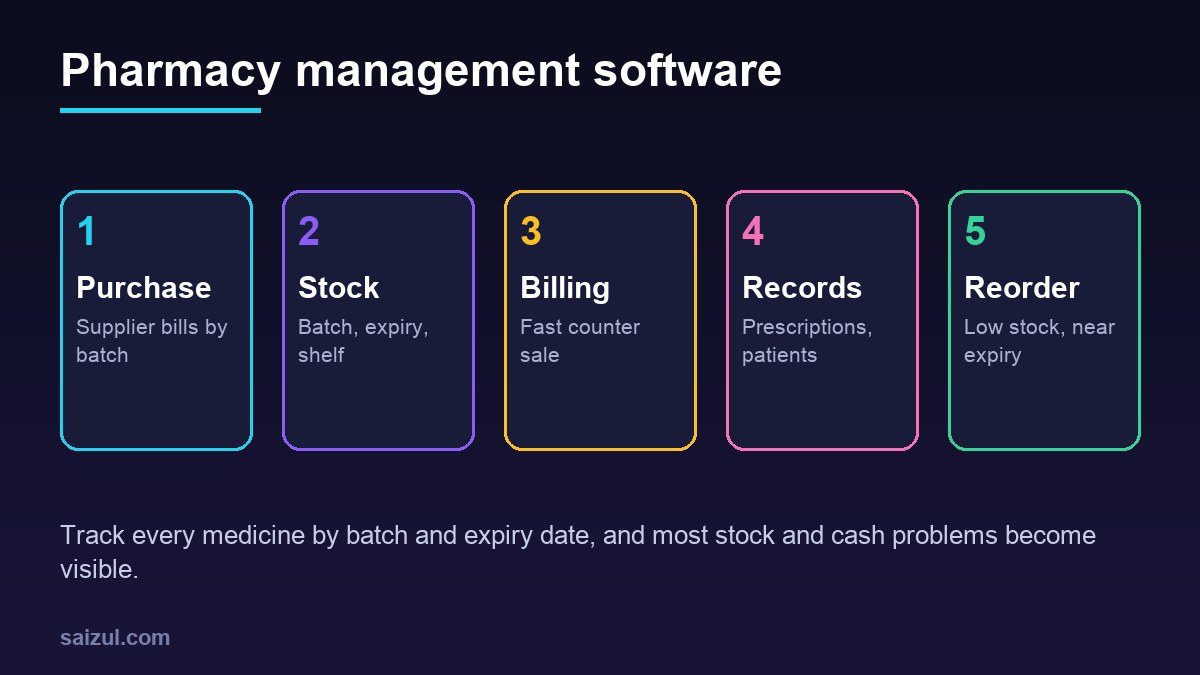
From my own work: When pharmacy owners walk me through their shop, the problem they mention first is almost never billing. It is expiry: boxes found behind newer stock months after they expired, and supplier returns missed because nobody knew what was close to its date. Recording batch and expiry at the moment of purchase is the change that pays for the rest of the system.
If you also sell health products online, read my guide on inventory management for online stores for the retail side. Still deciding between a ready-made tool and your own system? Build vs buy software walks through the decision.
Core modules of pharmacy management software
| Module | What it does | Why it matters |
|---|---|---|
| Medicine master | Brand name, generic name, strength, form, pack size, manufacturer, barcode, VAT, shelf location | Fast search and correct substitutes |
| Purchase and goods received | Supplier bills entered with batch, expiry, cost and selling price per line | Every unit can be traced back to a bill |
| Batch and expiry stock | Quantity per batch, sorted by expiry, with near-expiry alerts | Less waste and fewer expired sales |
| Counter billing (POS) | Barcode or name search, strip and box units, discounts, cash, card and mobile wallet | Short queues and correct bills |
| Prescriptions and customers | Prescription image, doctor name, repeat customers, purchase history | Repeat orders and safer dispensing |
| Returns | Customer returns and supplier returns for expiry or damage | Recovers money from suppliers |
| Reorder | Minimum levels, suggested purchase lists by supplier | Fewer stockouts of fast-moving items |
| Reports | Sales, margin, stock value, expiry list, supplier dues, cashier close | Owner sees the business without counting |
Batch and expiry tracking: the heart of the system
A pharmacy that only tracks quantity cannot answer the questions that matter: which strips expire next month, which batch a customer bought, or which supplier owes a return. Batch tracking fixes this.
- Record batch and expiry on purchase. Every supplier bill line carries the batch number and expiry date. Scanning a barcode fills the product; staff type or scan the batch.
- Sell first-expiry-first-out. At billing, the system suggests the batch with the nearest expiry date, so older stock leaves the shelf first.
- Near-expiry list every week. Medicines expiring in the next 30, 60 and 90 days, with quantity and supplier. Decide early: move to the front, offer to a branch, or return.
- Block expired sales. The system refuses to bill an expired batch and asks for a manager override with a reason.
- Supplier returns. Create a return note from the near-expiry list, so the credit is tracked until the supplier settles it.
Barcodes help a lot. Many medicine packs carry GS1 barcodes, and GS1 publishes the standards used across healthcare supply chains (GS1 healthcare standards). Where packs carry batch and expiry in the barcode, scanning removes most typing errors.
How a pharmacy day runs with the system
- Opening: the cashier opens a shift with the opening cash. The dashboard shows low stock and anything expiring this month.
- Deliveries: supplier bills are entered as goods received. Prices that changed from the last bill are highlighted.
- Counter sales: staff search by brand or generic name, scan, choose strips or boxes and take payment. The bill shows batch and expiry.
- Prescription sales: a photo of the prescription is attached to the bill when required, with the doctor’s name.
- Phone and WhatsApp orders: repeat customers send a photo of their prescription; staff prepare the order and it is billed when collected or delivered.
- Closing: the system shows expected cash, card and wallet totals. The cashier counts and records any difference.
- Next morning: the owner gets a summary: sales, margin, items out of stock, near-expiry value and supplier dues. My automated business reporting guide shows how to send this automatically.
Regulation, controlled medicines and safety
Pharmacy is regulated everywhere, and the software must support the rules where you operate, not replace a pharmacist’s judgement. Check your local requirements with your regulator and a qualified pharmacist before you finalise the design.
- Licensing and records: in Bangladesh, the Directorate General of Drug Administration is the regulator for medicines and drug sale licensing (DGDA). Keep purchase records and supplier details ready for inspection.
- Traceability: in the US, the Drug Supply Chain Security Act sets out steps toward an electronic, interoperable system to identify and trace certain prescription drugs (FDA DSCSA). Even where no such law applies, batch-level records make recalls manageable.
- Falsified medicines: the WHO describes substandard and falsified medical products as a serious public health risk (WHO). Buying only from approved suppliers, and recording which supplier each batch came from, is your best defence.
- Controlled and prescription-only medicines: flag them in the medicine master, require a prescription record, and restrict who can sell or adjust their stock.
- Recalls: when a batch is recalled, the system should show at once how many units you hold and, if customers are recorded, who bought it.
Automation and AI for pharmacies
- Reorder suggestions: a daily purchase list per supplier based on minimum levels and the last few weeks of sales.
- Supplier bill reading: scanning a printed supplier invoice to fill purchase lines, with staff checking batch and expiry before saving. See AI document processing for business.
- Refill reminders: customers on regular medicines get a polite reminder by SMS or WhatsApp, only if they agreed to be contacted.
- WhatsApp order intake: an assistant collects the prescription photo, name and delivery address and creates an order for staff. My guide to a WhatsApp AI agent for business covers the setup.
- Substitute search: showing in-stock brands with the same generic name and strength, for the pharmacist to decide.
Keep a clear line: AI must never decide a dose, a substitution or whether a prescription is valid. It can collect information, draft and remind. A qualified person dispenses.
Patient data and privacy
Prescriptions and purchase history are health data. Under the GDPR, health data is a special category with stricter conditions for processing (GDPR Article 9). Even outside Europe these are sensible rules:
- Collect only what you need: name and phone for repeat customers, prescription images only where required.
- Give staff their own logins; only senior staff see full customer history.
- Never send prescription details in marketing messages.
- Encrypt backups, keep them off the shop computer and test a restore.
- Delete old prescription images after the period your rules require.
Ready-made pharmacy software vs custom
| Option | Good for | Watch out for |
|---|---|---|
| Ready-made desktop software | Single shop, unreliable internet | Backups are your job, no remote view, hard to add branches |
| Ready-made cloud software | Shops that want remote reports and simple setup | Monthly fees, offline billing support, local medicine database quality |
| Custom pharmacy system | Chains, hospital dispensaries, wholesale plus retail, own delivery or app | Higher upfront cost, needs a maintenance agreement |
| Ready-made plus custom add-ons | Good core tool missing WhatsApp orders, reports or branch transfers | Depends on the tool offering an API or data export |
Ask every vendor to demo with your own supplier bill and your ten best-selling medicines. Ask how the medicine database is updated, and whether billing keeps working when the internet drops. My custom software vs SaaS guide covers the longer-term cost comparison.
Pharmacy management software cost (2026 estimates)
These ranges are estimates for planning, not quotes. Real prices depend on the number of branches, counters and modules, and on your country.
| Option | Typical scope | Estimated cost (USD) |
|---|---|---|
| Ready-made subscription | Billing, stock, expiry, basic reports | Roughly 15 to 80 per shop per month, plus hardware |
| Custom single-shop system | Medicine master, purchase, batch stock, POS, reports | 3,000 to 10,000 |
| Custom chain or dispensary system | Branches, transfers, central purchasing, roles, audit log | 10,000 to 35,000+ |
| WhatsApp order and refill add-on | Prescription intake, order queue, reminders | 1,500 to 6,000 |
Add barcode scanners, receipt printers, hosting, SMS or WhatsApp charges and yearly maintenance. My custom software development cost guide explains how to budget the first year.
Rollout plan
- Build the medicine master for what you actually stock, with barcodes and shelf locations.
- Do a full opening stock count by batch and expiry. This is the hardest day; plan it for a quiet period.
- Start with purchase entry and counter billing together, so stock stays correct from day one.
- Turn on near-expiry and low-stock lists after the first week.
- Add supplier returns, customer records and reports.
- Add WhatsApp orders, refill reminders and AI bill reading last.
Pharmacy management software checklist
- Batch and expiry recorded on every purchase line.
- First-expiry-first-out suggested at billing; expired batches blocked.
- Strip, box and unit pricing handled correctly.
- Prescription-only and controlled items flagged and restricted.
- Recall search by batch works.
- Billing works offline and syncs later.
- Individual staff logins with an audit log for price and stock changes.
- Daily cash close and morning report agreed.
- Backups, data export and support terms in the contract.
Need help with this on your own site or business?
I build and secure WordPress sites, web apps and AI automations end to end, in Bangla and English: a free discovery call, a written scope with a fixed quote, a focused first version, then testing, deployment and monitoring.
See the portfolio and the AI agent services, or tell me what you need.
FAQ
What is pharmacy management software?
It is a system that manages a pharmacy’s medicines from purchase to sale: supplier bills, batch and expiry stock, counter billing, prescriptions, returns, reorders and reports, so the owner does not rely on registers and memory.
Why is batch and expiry tracking so important for a pharmacy?
Without it you cannot sell older stock first, find near-expiry items in time for supplier returns, block expired sales or respond quickly to a recall. Quantity-only stock hides these problems until money is lost.
Can pharmacy software work without internet?
Many systems can. Desktop software works offline by design, and good cloud systems keep billing running offline and sync later. Test this before buying, because counters cannot stop when the connection drops.
Can AI decide medicine substitutes or doses?
No. AI can help collect orders, read supplier bills and send refill reminders, but substitution, dosing and prescription checks must stay with a qualified pharmacist.
How long does it take to set up pharmacy management software?
A ready-made system can be running in one to three weeks once the medicine master and opening stock are ready. A custom system for a chain usually takes two to five months, including a test period at one branch.
Sources

Md Saizul Amin
Digital Systems Strategist · AI Agent Developer · 9+ years in digital & ITMd Saizul Amin is a digital systems strategist and AI automation engineer from Dhaka, Bangladesh. With 9+ years across IT, web development and digital marketing, he writes practical guides on technology, business, education and online growth — and builds the same kinds of systems (AI agents, websites, SEO and ad campaigns) for clients in Bangladesh, the UK and the USA.
Specialist in
Credentials & experience
- 🎓B.Sc. in Computer Science & EngineeringBangladesh University of Business & Technology (BUBT), 2017–2021
- 🤖AI Automation Engineer · Web Developer · SEO SpecialistUnique Mark Limited, Birmingham UK — 2024 to present
- 🌱IT SpecialistGreen Fund Initiative Inc., USA — 2024 to present
- 🏥Junior IT Consultant — Ministry of Health (DGHS)Built the first national Shareable Health Record website; supported 6,000+ facilities
- 🧭Head of ITWEDO Bangladesh — led IT for 50+ staff, 2021–2023