In this article
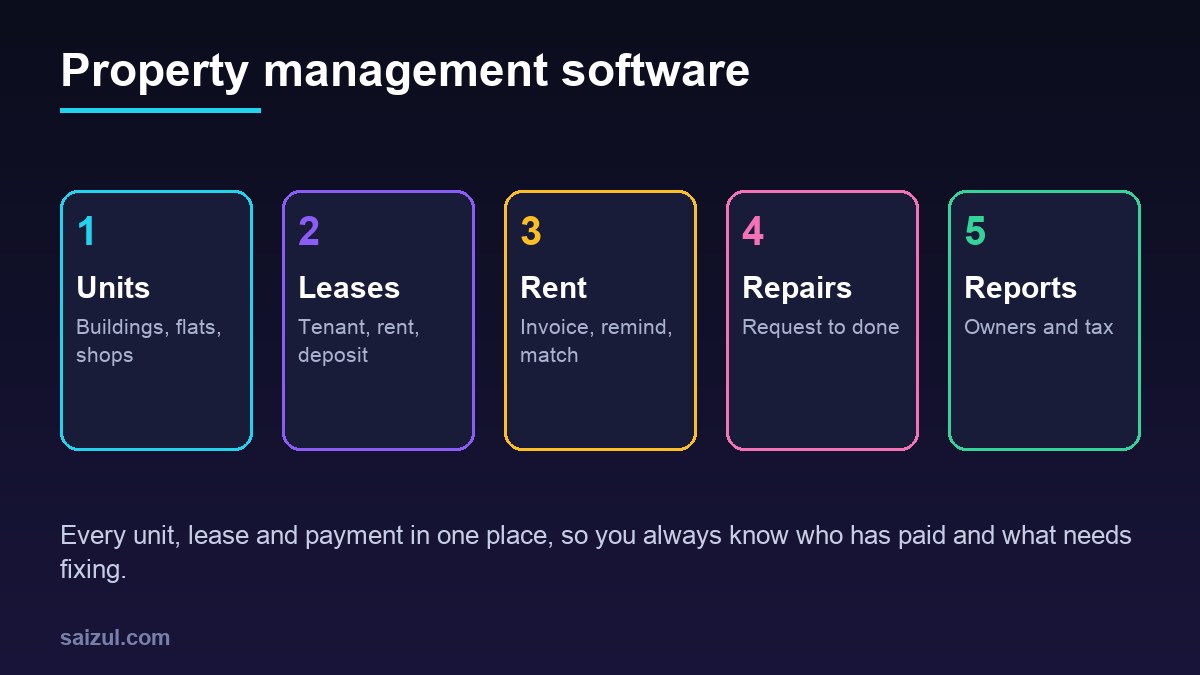
Property management software keeps every building, unit, tenant, lease, rent payment and repair request in one system, so landlords and rental businesses always know who has paid, who is late, which leases are ending and what needs fixing. For landlords with a few flats, rental companies with whole buildings, managers of shops and offices, hostels and serviced apartments with monthly stays, it replaces the rent register, the folder of agreements and endless reminder calls. The two biggest gains are usually rent collected on time with less chasing, and maintenance that is tracked from request to completion instead of forgotten. This guide explains the core modules, how rent collection and payment matching should work, how to handle leases and deposits, how to run maintenance, what owner reports need, where automation and AI help, and when ready-made software is enough, with estimated costs and a checklist.
From my own work: When landlords show me how they track rent, it is usually a notebook or a spreadsheet updated whenever someone remembers, plus a phone full of payment screenshots. The first thing I build is a simple monthly rent ledger per unit with automatic reminders. Late payments drop mostly because tenants get a clear, polite reminder on time, not because anyone chases harder.
If you also market properties to new tenants, read my guide on AI for real estate agents. For the payment chasing side, accounts receivable automation covers the same ideas in more depth.
Core modules of property management software
| Module | What it does | Why it matters |
|---|---|---|
| Properties and units | Buildings, flats, shops and rooms with size, features, meters and status | Know what is let, vacant or under repair |
| Tenants | Contact details, documents, emergency contact, history | One record per tenant |
| Leases | Start and end dates, rent, deposit, increase rules, terms, signed copy | No missed renewals or increases |
| Rent and charges | Monthly invoices for rent, service charge, utilities and late fees | Correct amounts every month |
| Payments | Bank, mobile wallet, card and cash, matched to invoices | Always know who owes what |
| Maintenance | Requests, photos, assignment, cost, completion | Repairs tracked, costs recorded |
| Owner statements | Income, expenses, management fees and payouts per owner | Transparent reporting for property owners |
| Reports | Arrears, occupancy, lease expiries, income and expenses | Decisions based on numbers |
Rent collection, reminders and payment matching
- Invoices on schedule: on a set day each month, the system creates an invoice for every active lease, including service charges and utilities.
- Friendly reminder before due date: a message with the amount, due date and payment options, by SMS, WhatsApp or email.
- Payment options: bank transfer with a unique reference, mobile wallet, card payment link or cash at the office with a receipt.
- Matching: bank and wallet records are imported and matched by reference and amount. Partial payments stay open with the balance shown.
- Receipt: an automatic receipt is sent as soon as a payment is matched.
- Late steps: a reminder after the due date, a late fee if your lease allows it, then a call from staff. Every step is logged.
Card payments should go through a payment provider that handles card data under PCI DSS (PCI Security Standards Council); never store tenants’ card numbers yourself. For local gateways, see accepting online payments in Bangladesh.
Leases, deposits and local rules
Rental law varies a lot between countries and cities, so configure the software around your local rules and get legal advice on your lease template. Some examples of rules the software may need to support:
- Deposit protection: in England and Wales, landlords must place most tenancy deposits in a government-approved protection scheme within a set time (GOV.UK deposit protection). The system should record the scheme, reference and date.
- Landlord duties: government guidance such as GOV.UK private renting lists responsibilities like safety checks and repairs, which the software can turn into reminders.
- Rent increases: record the agreed increase rule and notice period, and get a reminder before the date.
- Lease end: alerts 60 to 90 days before expiry so you can renew, renegotiate or prepare to re-let.
- Move-in and move-out inspections: a checklist with photos for each room, stored with the lease, which makes deposit disputes much easier.
Service charges, utilities and shared costs
Apartment buildings, markets and office blocks often charge more than rent. Getting these charges right avoids many disputes.
- Fixed service charges: security, cleaning, lift and common area charges added to each invoice automatically.
- Metered utilities: meter readings for electricity, water or gas entered monthly, with photos, and billed at the agreed rate.
- Shared costs: generator fuel or common electricity divided by an agreed rule, such as unit size, with the calculation shown to tenants.
- Advance payments: tenants who pay several months ahead have the credit applied automatically each month.
Maintenance requests from report to done
| Step | Who | What the system records |
|---|---|---|
| Report | Tenant, by form or WhatsApp | Unit, problem, photos, urgency |
| Triage | Manager | Category, priority, approval needed |
| Assign | Manager | Staff member or contractor, target date |
| Work | Technician | Visit notes, parts, before and after photos |
| Close | Manager and tenant | Cost, who pays, tenant confirmation |
Planned work such as generator servicing, lift checks, water tank cleaning and fire safety checks should be scheduled automatically. If you run your own repair team, my guide to field service management software covers technician scheduling in more depth.
Owner statements and accounting
If you manage property for other owners, monthly statements build trust: rent received, expenses paid, your management fee and the amount paid out, with receipts attached. Even if you own all the units yourself, clean records matter at tax time. The IRS, for example, explains the records US landlords should keep for rental income and expenses (IRS rental recordkeeping). Export income and expenses by property to your accountant or accounting software each month.
Tenant communication, automation and AI
- WhatsApp assistant: answers balance questions, sends receipts and invoices, and takes maintenance requests with photos, then hands anything sensitive to staff. See WhatsApp AI agent for business.
- Vacancy enquiries: an assistant answers questions about available units from the live list and books viewings.
- Notices: water shutdowns, building works and rule reminders sent to all tenants of a building at once.
- Document reading: utility bills and contractor invoices read into the system for a person to check.
- Monthly summary: the owner gets arrears, vacancies, expiring leases and open repairs in one message.
AI must never threaten tenants, give legal advice or change balances. It reads from the ledger and passes disputes to a person.
Tenant data and privacy
Tenant files hold ID documents, phone numbers, employment details and payment history. Follow the GDPR principles of data minimisation and limited storage as a good standard (GDPR Article 5):
- Collect only the documents your process and local law need.
- Store ID copies in the system, not in chat apps or personal phones.
- Give staff separate logins and limit who sees payment history.
- Delete old tenant documents after your required retention period.
- Back up daily, encrypted, and test restoring.
Ready-made vs custom property management software
| Option | Good for | Watch out for |
|---|---|---|
| Spreadsheet | One or two units | No reminders, no matching, easy to make mistakes |
| Ready-made property software | Residential portfolios in countries the product is built for | Local payment methods, local lease rules, per-unit pricing |
| Custom system | Mixed residential and commercial, service charges and utilities per meter, owner statements, local wallets, Bangla and English | Higher upfront cost, maintenance agreement needed |
My build vs buy software guide helps with the decision.
Property management software cost (2026 estimates)
These ranges are estimates for planning, not quotes. Real prices depend on the number of units, modules, payment methods and your country.
| Option | Typical scope | Estimated cost (USD) |
|---|---|---|
| Ready-made subscription | Units, leases, rent tracking, basic reminders | Roughly 1 to 3 per unit per month, often with a minimum |
| Custom starter system | Units, tenants, leases, invoices, reminders, payment matching | 4,000 to 12,000 |
| Custom full system | Plus maintenance, owner statements, tenant portal, utilities | 12,000 to 35,000+ |
| WhatsApp AI assistant | Balances, receipts, repair requests, vacancy questions | 1,500 to 6,000, plus messaging fees |
Add hosting, SMS or WhatsApp charges, payment fees and yearly maintenance. My custom software development cost guide explains the first-year budget.
Rollout plan
- List every property and unit with current status.
- Enter active leases with rent, deposit, dates and signed copies.
- Set opening balances per tenant and check them with each tenant.
- Start monthly invoices, reminders and receipts.
- Add payment matching from bank and wallet records.
- Add maintenance, owner statements and the AI assistant once rent runs cleanly for two months.
Property management software checklist
- Every unit has a status: let, vacant or under repair.
- Every lease has dates, rent, deposit and increase rules.
- Invoices created automatically each month.
- Reminders before and after due date.
- Payments matched by reference, partial payments tracked.
- Maintenance requests tracked with photos and costs.
- Lease expiry and safety check reminders.
- Owner statements and accounting export.
- Tenant data retention, staff logins and backups agreed.
Need help with this on your own site or business?
I build and secure WordPress sites, web apps and AI automations end to end, in Bangla and English: a free discovery call, a written scope with a fixed quote, a focused first version, then testing, deployment and monitoring.
See the portfolio and the AI agent services, or tell me what you need.
FAQ
What is property management software?
It is a system that manages properties, units, tenants, leases, rent invoices, payments, maintenance and reports in one place, so landlords know who has paid and what needs attention.
Can property management software collect rent automatically?
It can create invoices, send reminders, offer payment links and match bank or wallet payments to invoices. Fully automatic debits depend on the payment methods available in your country.
Is it worth it for a landlord with only a few units?
For one or two units a spreadsheet can work. Once you have several tenants, automatic reminders, receipts and maintenance tracking usually save enough time and late payments to justify a simple system.
Can an AI assistant talk to tenants?
Yes, for balance questions, receipts, maintenance requests and vacancy enquiries, using data from the system. Disputes, legal questions and negotiations should go to a person.
How long does it take to set up property management software?
A ready-made system can be running in a few weeks once leases and balances are entered. A custom system usually takes two to four months, depending on modules and integrations.
Sources

Md Saizul Amin
Digital Systems Strategist · AI Agent Developer · 9+ years in digital & ITMd Saizul Amin is a digital systems strategist and AI automation engineer from Dhaka, Bangladesh. With 9+ years across IT, web development and digital marketing, he writes practical guides on technology, business, education and online growth — and builds the same kinds of systems (AI agents, websites, SEO and ad campaigns) for clients in Bangladesh, the UK and the USA.
Specialist in
Credentials & experience
- 🎓B.Sc. in Computer Science & EngineeringBangladesh University of Business & Technology (BUBT), 2017–2021
- 🤖AI Automation Engineer · Web Developer · SEO SpecialistUnique Mark Limited, Birmingham UK — 2024 to present
- 🌱IT SpecialistGreen Fund Initiative Inc., USA — 2024 to present
- 🏥Junior IT Consultant — Ministry of Health (DGHS)Built the first national Shareable Health Record website; supported 6,000+ facilities
- 🧭Head of ITWEDO Bangladesh — led IT for 50+ staff, 2021–2023