In this article
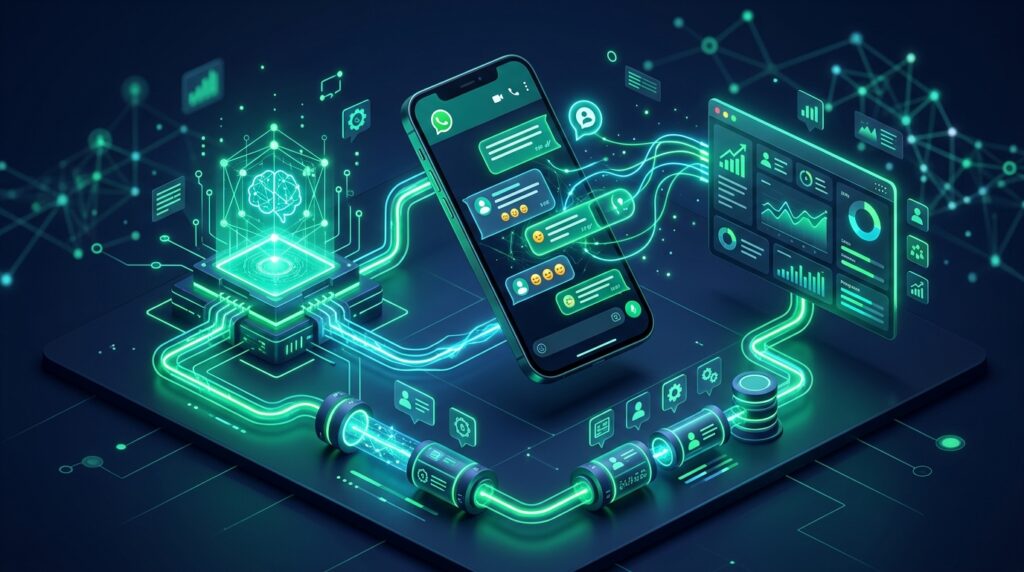
With over 2.7 billion active users globally, WhatsApp is no longer just a private messaging app—it is the primary commercial channel for consumer engagement, service inquiries, and conversational commerce across Europe, Latin America, the Middle East, and Asia. However, deploying an AI agent on WhatsApp involves engineering constraints vastly different from a standard web chatbot: strict webhook response windows, asynchronous message sequencing, rate limits, and the absolute necessity of reliable CRM synchronization.
In this technical implementation guide, I break down the exact architecture we deploy for high-volume WhatsApp automation: integrating the Meta Cloud API with an intelligent LLM runtime, handling context persistence across sessions, triggering structured function calls into your CRM, and providing instant zero-loss human operator handoff.
| Feature / Requirement | Standard Chatbot (Rule-Based) | Naive OpenAI Wrapper | Enterprise WhatsApp AI Agent |
|---|---|---|---|
| Context Memory | Session resets on reload | Single prompt history | Persistent vector + relational memory |
| Meta 200 OK Requirement | Static delay | Fails on LLM latency (>3s) | Asynchronous worker queue (Redis / BullMQ) |
| Action Capability | Hardcoded buttons only | Text response only | Bi-directional CRM & payment function calling |
| Human Escalation | Static contact form | Broken conversation flow | Live agent takeover with silent background mode |
1. The 3-Second Webhook Trap (And How to Solve It)
The single biggest mistake developers make when building WhatsApp AI agents is executing the LLM inference synchronously within the Meta webhook callback handler. Meta’s Cloud API mandates that your webhook endpoint return an HTTP 200 OK response within 3,000 milliseconds. If your LLM takes 4.2 seconds to stream a completion, Meta will time out, consider your server unresponsive, and repeatedly retry the webhook—triggering a cascading loop of duplicate messages.
The Solution: Decoupled Queue-Worker Architecture
[ Meta Cloud API ]
       │
       ▼ (Webhook POST event)
[ FastAPI / Express Webhook Ingestion ] ───▶ Return HTTP 200 OK instantly (<100ms)
       │
       ▼ (Push job payload)
[ Redis Queue (BullMQ / Celery) ]
       │
       ▼ (Worker consumes job)
[ Background AI Worker ]
       ├─ Fetch conversation history from PostgreSQL
       ├─ Semantic similarity search (Vector Store)
       ├─ LLM Inference + Tool Call (OpenAI / Claude)
       ├─ Execute CRM / Booking / Inventory Action
       ▼
[ Send Outbound WhatsApp Message via Graph API ]
2. Managing Asynchronous Message Bombardment
Real human users on WhatsApp do not send one neat, consolidated paragraph. They send rapid bursts of 3–5 sequential messages within a few seconds:
- “Hi there”
- “I need to know the price for the enterprise tier”
- “And do you support custom SSO integrations?”
If your system processes each incoming webhook immediately, your bot will trigger three separate LLM calls simultaneously, resulting in disjointed, conflicting replies. To prevent this, implement a debouncing queue using Redis:
- When message #1 arrives from a phone number, register a delayed queue job with a 3.5-second debounce window.
- If message #2 and #3 arrive within that window, append their text to the session’s temporary message buffer and reset the timer.
- Once the user pauses typing for 3.5 seconds, the accumulated payload is processed as a unified conversational turn.
3. Executing Deterministic CRM and Booking Actions
An agent that merely answers questions is an FAQ bot. An agent that creates revenue must be able to execute business actions. Using LLM function calling (tools), we define declarative endpoints for our agents:
{
  "name": "book_consultation_call",
  "description": "Books a qualified prospective client into the sales calendar.",
  "parameters": {
    "type": "object",
    "properties": {
      "full_name": { "type": "string" },
      "business_email": { "type": "string", "format": "email" },
      "preferred_slot": { "type": "string", "description": "ISO 8601 UTC timestamp" },
      "budget_tier": { "type": "string", "enum": ["under_5k", "5k_to_20k", "enterprise_20k_plus"] }
    },
    "required": ["full_name", "business_email", "preferred_slot"]
  }
}
When the user confirms their appointment in chat, the background worker validates the payload against internal business logic, inserts the record into HubSpot or custom CRM tables, issues a Google Calendar invitation, and sends the user an interactive WhatsApp template confirmation.
4. Fail-Safe Human Handoff Protocol
No AI system has a 100% resolution rate. When an agent detects sentiment frustration or when the user explicitly types “I want to speak with a human”, the bot must seamlessly disengage.
- Update the customer record in the database with
bot_active = falseandagent_requested_at = NOW(). - Notify on-duty support personnel via Slack or CRM notification with a complete 3-sentence summary of the conversation so far.
- While
bot_active == false, all incoming messages from this user bypass the LLM worker completely and appear directly in the human agent’s unified inbox.
Frequently Asked Questions (FAQ)
Do I need the official WhatsApp Business API or can I use QR-code web wrappers?
For any legitimate business application, you must use the official Meta Cloud API. Unofficial QR-code scrapers violate WhatsApp Terms of Service, result in frequent account bans, and lack SLA guarantees.
How much does the Meta WhatsApp Cloud API cost?
Meta charges per 24-hour conversation category (Marketing, Utility, Authentication, and Service). Inbound customer service conversations initiated by users are significantly cheaper or include free service tiers depending on monthly volume. The LLM infrastructure and server hosting are billed separately.
Can the WhatsApp AI agent handle multi-language customer queries?
Yes. Modern frontier models (like Claude 3.5 Sonnet and GPT-4o) natively understand and reply fluently in over 50 languages, automatically matching the language, dialect, and tone of the prospective customer.
Need an enterprise-grade WhatsApp conversational AI pipeline tailored to your sales funnel or customer service infrastructure? Get in touch to discuss customized development and API integrations.

Md Saizul Amin
Digital Systems Strategist · AI Agent Developer · 9+ years in digital & ITMd Saizul Amin is a digital systems strategist and AI automation engineer from Dhaka, Bangladesh. With 9+ years across IT, web development and digital marketing, he writes practical guides on technology, business, education and online growth — and builds the same kinds of systems (AI agents, websites, SEO and ad campaigns) for clients in Bangladesh, the UK and the USA.
Specialist in
Credentials & experience
- 🎓B.Sc. in Computer Science & EngineeringBangladesh University of Business & Technology (BUBT), 2017–2021
- 🤖AI Automation Engineer · Web Developer · SEO SpecialistUnique Mark Limited, Birmingham UK — 2024 to present
- 🌱IT SpecialistGreen Fund Initiative Inc., USA — 2024 to present
- 🏥Junior IT Consultant — Ministry of Health (DGHS)Built the first national Shareable Health Record website; supported 6,000+ facilities
- 🧭Head of ITWEDO Bangladesh — led IT for 50+ staff, 2021–2023