
In this article
School management software puts admissions, fee collection, attendance, exams, results and parent communication into one system, so the office stops juggling registers, receipt books and spreadsheets. It suits schools, madrasas, colleges, coaching centres and tuition businesses of almost any size. This guide explains which modules matter most, how a school day and a fee month run once the system is in place, how to protect student data, when ready-made software is enough and when a custom build pays off, with estimated costs and a checklist you can use before talking to any vendor.
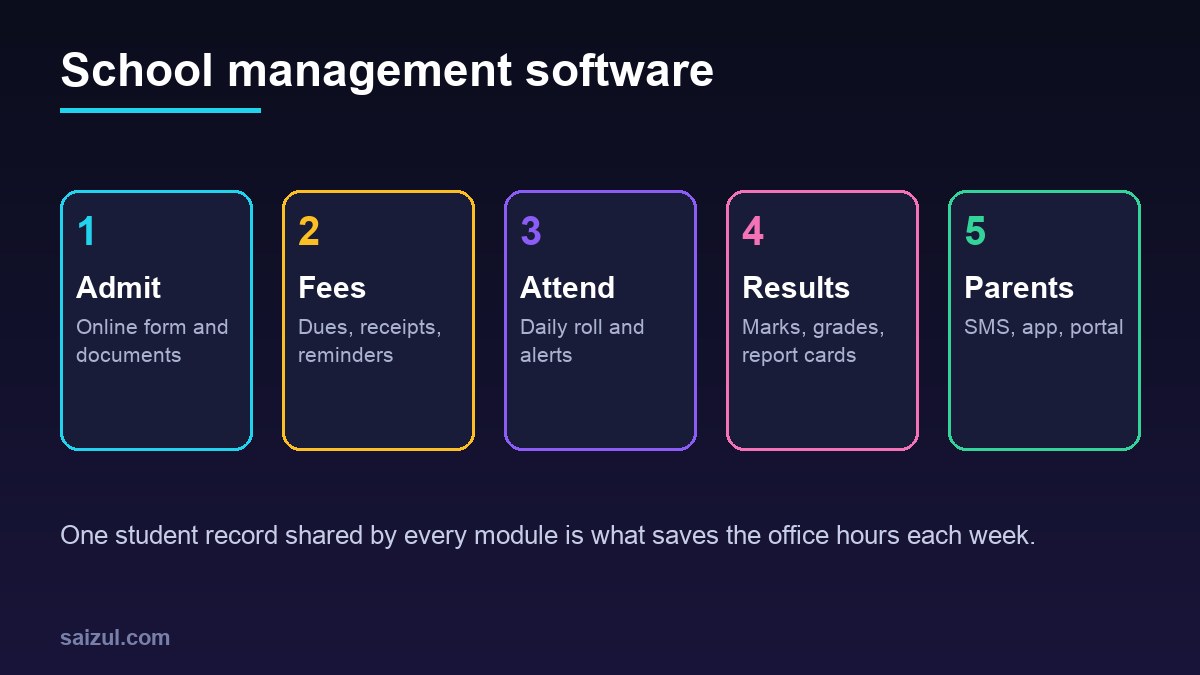
From my own work: When schools and coaching centres describe their problem to me, it is almost always fees first: who has paid, who is late, and which receipt matches which payment. Attendance and results come second. So I suggest starting with fees and dues, because that is where the office loses the most time and where parents complain most.
If you run online courses rather than a physical institution, the needs are different; a learning platform may suit you better. This guide focuses on running the institution itself. For general budgeting, see my custom software development cost guide.
Core modules of school management software
| Module | What it does | Who uses it |
|---|---|---|
| Admissions | Online form, document upload, admission test marks, seat allocation, ID numbers | Office, admission team, parents |
| Student records | Profile, class and section, guardian details, history, documents | Office, teachers |
| Fees and dues | Fee structures, discounts, waivers, monthly dues, receipts, late fees | Accounts, parents |
| Attendance | Daily or per-class roll, absence alerts, monthly summary | Teachers, office, parents |
| Exams and results | Marks entry, grading rules, merit lists, report cards | Teachers, exam controller |
| Timetable and classes | Class routine, teacher allocation, substitutions | Admin, teachers |
| Parent communication | SMS, app notifications, notices, homework | Office, teachers, parents |
| Staff and payroll | Teacher profiles, attendance, salary | Admin, accounts |
| Reports | Collection, dues, attendance and result reports | Principal, owner, board |
Coaching centres usually need fewer modules but more flexibility: batches instead of classes, course-based fees, installment plans, mock test results and fast enquiry follow-up. A system built for a large school can feel heavy for a coaching centre, and the reverse is also true.
Fee collection: the module that pays for the system
Fees are the main reason most institutions buy software. A good fee module should:
- Support fee heads: admission, tuition, exam, transport, hostel, books and others.
- Handle discounts and waivers per student, with a record of who approved them.
- Generate monthly dues automatically and show every student’s balance.
- Accept payments by cash at the counter, bank, card and mobile wallets, and match each payment to the right student and month.
- Print or send a receipt with a unique number for every payment.
- Send polite reminders before and after the due date by SMS, app or WhatsApp.
- Give the accounts office a daily collection report that matches the cash and bank.
For online payment options in Bangladesh, such as bKash, Nagad and card gateways, see how to accept online payments in Bangladesh. Online payment reduces counter queues, but only if each payment carries a student ID so it can be matched automatically.
How a school day runs with the system
- Morning roll: teachers take attendance on a phone or tablet in the first period, or students check in with a card or face device.
- Absence alerts: parents of absent students get an SMS or app message within the first hour.
- Classes: teachers see their routine, post homework and notes, and record class tests.
- Office: fee payments are taken and receipts issued; new enquiries are logged.
- End of day: the principal sees attendance by class, today’s collection and any open issues.
Exams, marks and results
Results are where manual work causes the most stress and mistakes. Define your rules once in the system: subjects per class, full marks, pass marks, grading scale, how class tests and term exams combine, and how merit position is decided. Teachers then enter marks per subject, the system calculates totals and grades, and the exam controller checks before publishing.
- Lock marks after a deadline, with unlock requests logged.
- Show teachers a summary of missing marks before the deadline.
- Publish report cards as PDFs or in the parent portal.
- Keep historical results so you can produce transcripts years later.
Parent communication and AI
Parents want three things: is my child present, what do I owe, and how are they doing. A parent app or portal that answers those three clearly reduces phone calls to the office. SMS still matters because not every parent uses apps. WhatsApp works well for notices if you use an approved business setup; see WhatsApp Business API vs app for the rules.
AI can help here too. An assistant can answer common questions from parents about admission dates, fee structures and holidays, using your published information, and pass anything personal to the office. My guide on AI chatbots for websites covers how to set limits and handover. AI can also help teachers draft comments for report cards, but a teacher should always review them.
Student data privacy and security
School systems hold children’s personal data, guardian contacts, photos, health notes and sometimes payment details. The rules depend on your country, but the principles are similar. In the US, FERPA protects the privacy of student education records (FERPA). In England, the Department for Education publishes guidance on data protection in schools (GOV.UK data protection in schools). Use them as a model even if they do not apply to you.
- Give each user only the access they need: a teacher sees their classes, accounts staff see fees, parents see only their own children.
- Use strong passwords and two-step login for admin and accounts users.
- Do not publish merit lists or photos with personal details on public pages without consent.
- Keep backups off the main server and test a restore every term.
- Ask the vendor or developer which security standard they follow. The OWASP ASVS is a useful checklist for web applications (OWASP ASVS).
- Make the parent portal usable for everyone, including on low-cost phones and for people with disabilities. The W3C WCAG guidelines describe how (WCAG).
Ready-made vs custom school management software
| Option | Good for | Watch out for |
|---|---|---|
| Ready-made, cloud-based | Standard schools that follow a common curriculum and fee pattern | Per-student fees that grow, limited custom reports, data export rules |
| Ready-made, installed locally | Poor internet, one campus | Backups and updates become your job, no parent app |
| Custom system | Multiple campuses, coaching batches, unusual fee or result rules, own branding and app | Higher upfront cost, needs a maintenance agreement |
| Hybrid | Good ready-made core plus custom parent app or payment link | Integration quality and who supports it |
Before choosing, ask every vendor for a live demo with your own fee structure and grading rules, not their sample data. And ask how you can export all your data if you leave.
Questions to ask any vendor or developer
- Can you show the system working with our fee structure, discounts and grading rules?
- How are online payments matched to students and months?
- Does it work in Bangla and English, on low-cost phones and with weak internet?
- Which SMS and payment providers does it connect to, and who pays their fees?
- Who owns the data, and how do we export everything if we leave?
- How are backups done, and how often is restore tested?
- What does support cost after the first year, and how fast do you respond during exams and admissions?
School management software cost (2026 estimates)
These figures are estimates to help you plan. Prices vary by country, number of students, and which modules you need.
| Option | Typical scope | Estimated cost (USD) |
|---|---|---|
| Ready-made subscription | Core modules, per student or per campus | Roughly 0.5 to 3 per student per month, or a fixed yearly plan |
| Custom coaching centre system | Enquiries, batches, fees, attendance, mock results, SMS | 3,000 to 12,000 |
| Custom school system | Admissions, fees, attendance, exams, results, parent portal | 8,000 to 35,000 |
| Parent mobile app add-on | Android and iOS app connected to the system | 5,000 to 20,000 |
Add SMS costs, payment gateway fees, hosting and yearly maintenance. Before asking for quotes, write a short requirements document; my software requirements document guide has a template.
Rollout plan: one term, not one weekend
- Prepare data: student list, guardians, classes and sections, fee structures and outstanding dues.
- Start with fees and student records at the start of a term or month.
- Add attendance once teachers are comfortable logging in.
- Run one exam on the new system with the old method as a backup.
- Open the parent portal or app after the data has been checked, so parents do not see wrong dues.
- Train by role: short sessions for office, accounts and teachers, plus short videos.
School management software checklist
- Modules ranked by priority, with fees and records first.
- Fee heads, discounts and late fee rules written down.
- Grading and result rules written down.
- Payment methods and how each payment is matched to a student.
- SMS, app and WhatsApp plan for parents.
- User roles and access defined.
- Data export and ownership agreed in the contract.
- Backup, restore and support terms agreed.
- Rollout dates aligned with the academic calendar.
Need help with this on your own site or business?
I build and secure WordPress sites, web apps and AI automations end to end, in Bangla and English: a free discovery call, a written scope with a fixed quote, a focused first version, then testing, deployment and monitoring.
See the portfolio and the AI agent services, or tell me what you need.
FAQ
What is school management software?
It is a system that manages admissions, student records, fees, attendance, exams, results and parent communication in one place, so school staff do not maintain separate registers and spreadsheets.
Is school management software suitable for a small coaching centre?
Yes, but choose one built around batches, course fees, installments and mock tests. A full school system may be more than a coaching centre needs, and a lighter custom tool can be cheaper and easier for staff.
Can parents pay school fees online through the system?
Yes. Most systems can connect to card gateways and mobile wallets. Make sure every payment includes a student ID so it is matched automatically and the receipt is created without manual work.
How do we protect student data in school software?
Use role-based access, two-step login for admin users, encrypted backups, and clear rules about publishing results and photos. Follow your local data protection law and ask vendors which security standard they follow.
How long does it take to set up school management software?
A ready-made system can go live in a few weeks once your data is ready. A custom system usually takes two to five months. Plan the rollout around the start of a term so fees and records begin cleanly.
Sources

Md Saizul Amin
Digital Systems Strategist · AI Agent Developer · 9+ years in digital & ITMd Saizul Amin is a digital systems strategist and AI automation engineer from Dhaka, Bangladesh. With 9+ years across IT, web development and digital marketing, he writes practical guides on technology, business, education and online growth — and builds the same kinds of systems (AI agents, websites, SEO and ad campaigns) for clients in Bangladesh, the UK and the USA.
Specialist in
Credentials & experience
- 🎓B.Sc. in Computer Science & EngineeringBangladesh University of Business & Technology (BUBT), 2017–2021
- 🤖AI Automation Engineer · Web Developer · SEO SpecialistUnique Mark Limited, Birmingham UK — 2024 to present
- 🌱IT SpecialistGreen Fund Initiative Inc., USA — 2024 to present
- 🏥Junior IT Consultant — Ministry of Health (DGHS)Built the first national Shareable Health Record website; supported 6,000+ facilities
- 🧭Head of ITWEDO Bangladesh — led IT for 50+ staff, 2021–2023