In this article
Daraz is one of the largest online marketplaces in Bangladesh, and for many small sellers it is the fastest way to reach buyers outside their own city and social media circle. You do not need your own website, and Daraz handles the storefront, the payment options customers already trust and much of the delivery. In return you share part of each sale, follow its rules, and compete with many other sellers on the same search page. This guide explains how to open a seller account, create listings that sell, check the fees before you price, handle orders and returns, and use Daraz as part of a wider business rather than your only channel.
From my own work: When sellers ask me whether they should start on Daraz or build their own store, I usually suggest working out the numbers for both. A marketplace brings traffic you do not have yet, but the fees and price competition mean the margin has to be checked product by product.
Is Daraz right for your products?
- Good fit: products people search for by name or type, that ship safely in a parcel, with a margin that survives fees and returns.
- Harder: very low-priced items where fees take most of the margin, fragile or bulky goods, and custom-made products that buyers need to discuss first.
- Check the competition: search your product on Daraz and note the prices, number of sellers, ratings and how the best listings look.
If you are still deciding how to start, my guide on how to start an e-commerce business in Bangladesh compares the main routes.
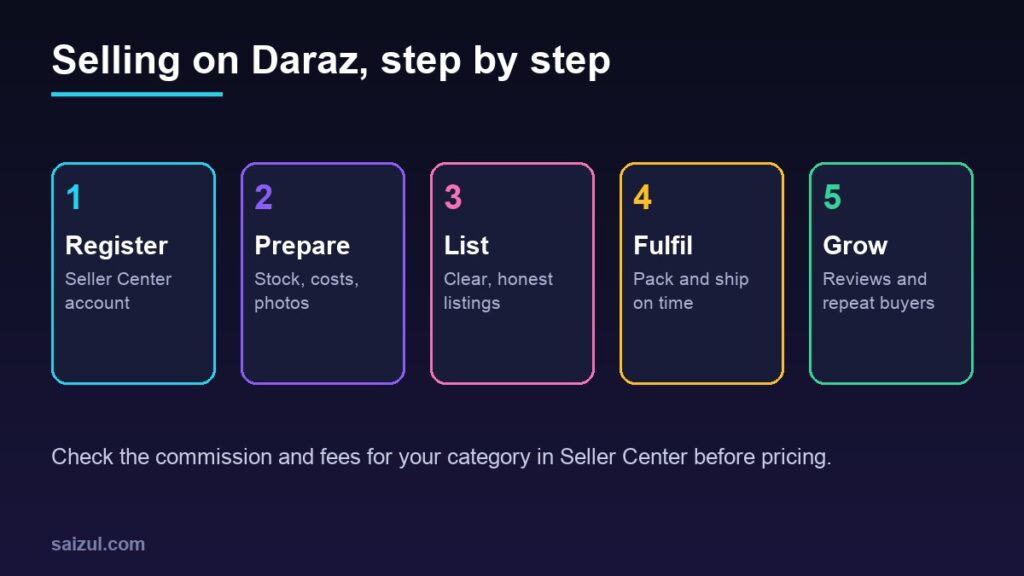
Step 1: Open a seller account in Seller Center
Daraz’s Sell on Daraz page directs sellers to sign up through Daraz Seller Center, says you can set up an account with your personal information or business information, and says there is no listing fee.
- Go to Seller Center and choose to sign up as a seller.
- Register with a phone number and email you will keep long term, ideally a business email.
- Choose whether you are registering as an individual or a business, and enter your shop name. Pick a name customers will recognise and that matches your Facebook page if you have one.
- Upload the documents requested during sign-up. Expect to need your National ID and bank account details; businesses are typically asked for a trade licence too. The exact list can change, so follow what Seller Center asks for.
- Add your pickup or warehouse address and complete any verification steps.
- Look through Daraz University, the seller learning site linked from the Sell on Daraz page, and the policy pages in Seller Center before your first listing.
Step 2: Check the fees before you set prices
Listing may be free, but selling is not. Before you list anything, find the current fees for your category in Seller Center and its policy pages. Typical cost items to check:
| Cost item | What to check |
|---|---|
| Commission | The percentage for your product category, which can differ by category |
| Payment fees | Any fee charged on the order value for payment handling |
| Shipping | Who pays which part of delivery, and how weight and size affect it |
| Campaign and voucher costs | What you fund when you join sales or offer vouchers |
| Returns and penalties | Costs for returned items, late shipping or cancellations |
| Optional services | Ads, sponsored listings or fulfilment services |
I have not listed rates here because they change and differ by category. Check the current figures in your own Seller Center, then work out your real margin per product. My guide on how to price products for an online store shows the calculation.
Step 3: Create listings that sell
On a marketplace, your listing competes directly with others on the same screen. Clear, honest listings win clicks and avoid returns.
- Title: brand, product type, key feature, size or quantity, colour. Write what buyers search for, not hype. “Cotton Bedsheet King Size 3 Piece Set, Blue Check” beats “Best Quality Super Offer Bedsheet”.
- Category: choose the most accurate one. A wrong category hurts visibility and may break the rules.
- Photos: several sharp images on a clean background, the main one showing the product clearly, plus close-ups, size references and the product in use. Follow Daraz’s image requirements.
- Description: material, measurements, what is in the box, care instructions and warranty, in simple sentences. See how to write product descriptions that sell.
- Variations: list sizes and colours as variations of one product rather than duplicate listings.
- Stock and price: keep stock accurate so you never sell what you do not have. My guide to inventory management helps if you sell on more than one channel.
Avoid copying other sellers’ photos or text, listing brands you are not authorised to sell, and anything in Daraz’s prohibited or restricted list.
Step 4: Handle orders, packing and delivery
- Check Seller Center every day, or turn on notifications in the seller app.
- Confirm and pack orders quickly, within the time Daraz sets. Late shipping and cancellations can affect your account.
- Pack carefully with the right label and invoice, using packaging that protects the product.
- Hand over the parcel through the pickup or drop-off option available to you.
- Track payouts in your account statement and reconcile them against your orders and fees.
Step 5: Understand returns
Daraz’s customer return policy says buyers must raise a return request within 14 days of delivery for reasons such as damaged, defective, incomplete, incorrect or not-as-described items, and wrong sizes. Change-of-mind returns are allowed only in some categories, such as certain fashion items, and returned items must normally be unused with original tags, accessories and packaging.
- Accurate photos, size charts and descriptions are the best way to prevent returns.
- Check every item before packing, and photograph high-value items as you pack them.
- Inspect returned items promptly and use the dispute process in Seller Center if a return does not meet the policy.
Returns are part of selling online anywhere. My returns and refunds guide explains how to plan for them in your margins.
Step 6: Grow with reviews, ratings and campaigns
- Ratings matter. On-time shipping, accurate listings and quick replies to buyer questions lead to better reviews.
- Answer questions on your listings and in chat quickly and politely. See customer service for online stores.
- Join campaigns selectively. Big sale events can bring volume, but check the discount and any costs you fund against your margin first.
- Use paid promotion carefully. Test a small budget on your best listings and judge it by orders and profit, not views.
Do not rely on one marketplace alone
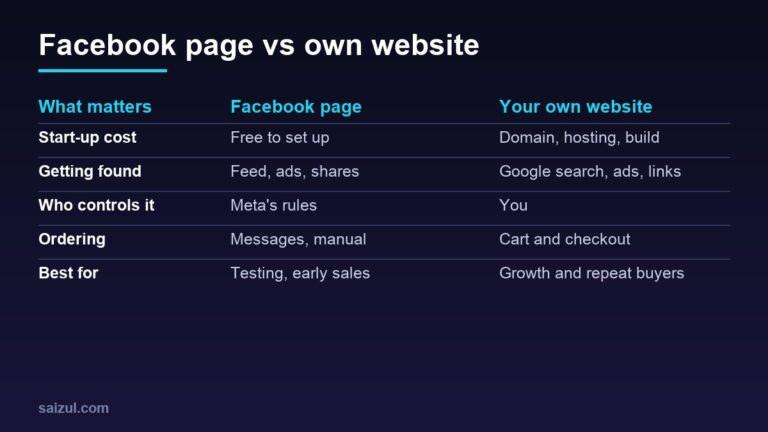
A marketplace account can be limited, rules and fees can change, and customer data stays largely with the platform. Build your own channels alongside it: a Facebook page and WhatsApp for repeat customers, and in time your own website. Guides that help: getting your first customers, WhatsApp Business for e-commerce and WooCommerce vs Shopify.
Common mistakes
- Setting prices before checking commission and fees for the category.
- Using stock photos or copied listings that do not match the real product.
- Listing items that are not actually in stock.
- Shipping late, which leads to cancellations and poor ratings.
- Joining every campaign without checking the margin.
- Ignoring buyer questions on listings.
Quick checklist
- Products with a margin that survives fees and returns.
- Seller Center account with documents and bank details verified.
- Current commission and fees for your category checked.
- Clear titles, real photos, accurate descriptions and variations.
- Stock kept accurate across every channel.
- Orders packed and handed over within the required time.
- Returns policy understood and reflected in your pricing.
- Your own page, WhatsApp or website growing alongside Daraz.
Need help with this on your own site or business?
I build and secure WordPress sites, web apps and AI automations end to end, in Bangla and English: a free discovery call, a written scope with a fixed quote, a focused first version, then testing, deployment and monitoring.
See the portfolio and the AI agent services, or tell me what you need.
FAQ
Is it free to sell on Daraz?
Daraz says there is no listing fee, but sellers pay fees on sales, such as commission, which varies by category. Check the current fees in Seller Center before pricing your products.
Can I sell on Daraz without a trade licence?
Daraz says you can open a seller account with personal or business information. Individual sellers generally register with their NID and bank details. Follow the document list shown in Seller Center during sign-up.
How long do Daraz customers have to return an item?
Daraz’s return policy says customers must raise a return request within 14 days of delivery. Change-of-mind returns apply only in some categories.
Should I sell on Daraz or build my own website?
Many sellers do both. Daraz brings existing buyers quickly, while your own website and social channels give you better margins, customer relationships and control over time.
Sources

Md Saizul Amin
Digital Systems Strategist · AI Agent Developer · 9+ years in digital & ITMd Saizul Amin is a digital systems strategist and AI automation engineer from Dhaka, Bangladesh. With 9+ years across IT, web development and digital marketing, he writes practical guides on technology, business, education and online growth — and builds the same kinds of systems (AI agents, websites, SEO and ad campaigns) for clients in Bangladesh, the UK and the USA.
Specialist in
Credentials & experience
- 🎓B.Sc. in Computer Science & EngineeringBangladesh University of Business & Technology (BUBT), 2017–2021
- 🤖AI Automation Engineer · Web Developer · SEO SpecialistUnique Mark Limited, Birmingham UK — 2024 to present
- 🌱IT SpecialistGreen Fund Initiative Inc., USA — 2024 to present
- 🏥Junior IT Consultant — Ministry of Health (DGHS)Built the first national Shareable Health Record website; supported 6,000+ facilities
- 🧭Head of ITWEDO Bangladesh — led IT for 50+ staff, 2021–2023