
In this article
Garment order tracking software follows each buyer order from the purchase order to the shipment: the styles, colours and sizes ordered, every date in the time and action (TNA) calendar, sample and lab dip approvals, fabric and trims bookings, production progress in the factory, inspections and shipping documents. For RMG exporters, knit and woven factories, sweater units and buying houses, it replaces the merchandiser’s giant Excel sheet, the daily status emails and the late-night phone calls to the factory. Merchandisers see which orders are slipping while there is still time to act, management sees every order’s risk on one screen, and buyers get accurate status reports without someone copying data by hand. This guide explains what to track, how the TNA calendar should work, how to manage samples and materials, how to connect the factory floor, where automation and AI help, and when ready-made software is enough, with estimated costs and a checklist.
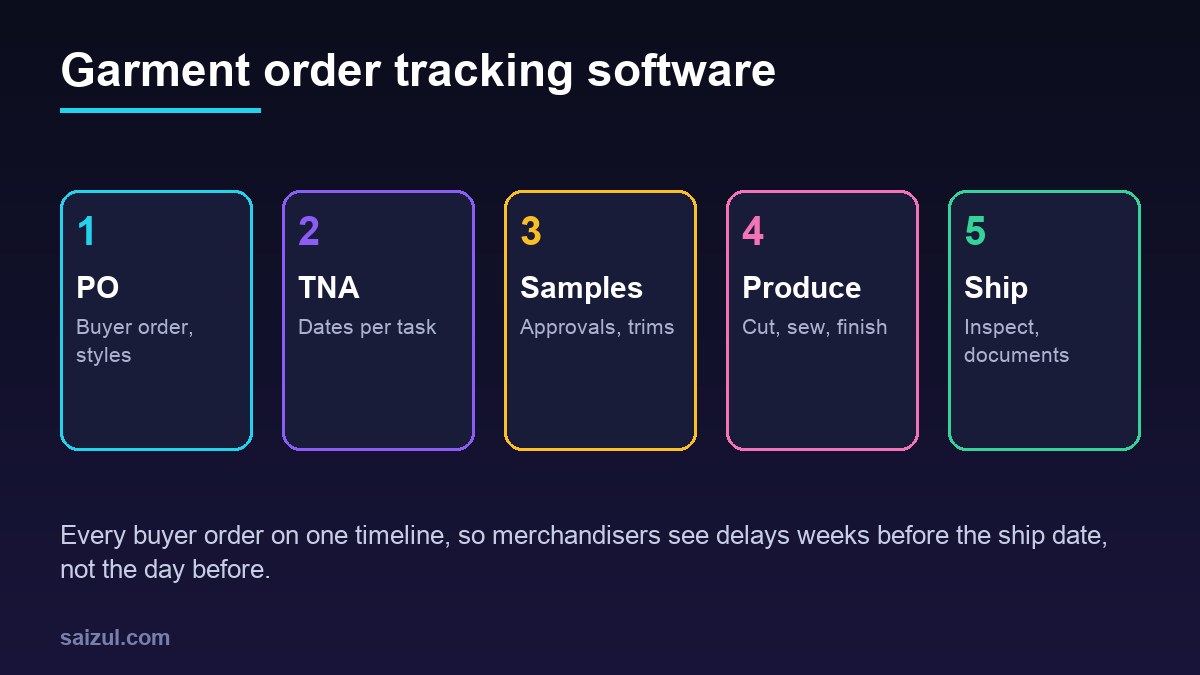
From my own work: When I sit with merchandising teams, the order information usually exists, but in a dozen places: buyer emails, a TNA sheet per merchandiser, the store’s fabric register and the floor’s production report. The first step that actually helps is a single order record that every team updates, with the TNA dates attached to it. Reporting and automation come after that.
For tracking work orders and stages on the floor itself, see my guide on production tracking software. This guide focuses on the merchandising side: the buyer order and its timeline.
What garment order tracking software should hold
| Data | What it includes | Why it matters |
|---|---|---|
| Buyer and season | Buyer, brand, season, department, agent or buying house | Reports per buyer and season |
| Style | Style number, description, tech pack, fabric, measurements, photos | One reference for every team |
| Purchase order | PO number, colours, size breakdown, quantity, price, ship date, delivery terms | The base of every plan |
| TNA calendar | Each task with a planned date, actual date and owner | Shows delays early |
| Samples and approvals | Proto, fit, size set, pre-production, lab dips, strike-offs, trims approvals | Production cannot start without them |
| Materials | Fabric and trims bookings, suppliers, in-house dates, consumption | Material delays are the most common cause of late shipments |
| Production | Cutting, sewing, finishing and packing quantities per day | Real progress against plan |
| Shipment | Inspection dates, cartons, booking, documents, actual ship date | On-time delivery and payment |
The TNA calendar, done properly
A TNA (time and action) calendar lists every task between order confirmation and shipment with a planned date. The value comes from calculating dates automatically and tracking the actual date of each task.
- TNA templates: create a template per product type and buyer, for example basic knit tee, woven shirt or sweater, with each task and its lead time.
- Back-calculation: when a PO is entered, the system calculates every task date backwards from the ship date. If the dates are already impossible, the merchandiser sees it on day one.
- Owners: each task has a responsible person: merchandiser, sampling, store, commercial, production or quality.
- Actual dates: when a task is done, the owner marks it complete. Late tasks turn red and push dependent tasks.
- Alerts: a daily list of tasks due today, tasks overdue and orders at risk goes to each owner and to the head of merchandising.
- Critical path: the system highlights tasks that will move the ship date if they slip, so people focus on the right ones.
Samples, approvals and materials
- Sample tracker: each sample type with request date, sent date, courier tracking, buyer comments and approval status. Comments are stored against the style, so the next sample fixes them.
- Lab dips and strike-offs: submissions per colour, with buyer approval or rejection and the approved shade reference.
- Fabric booking: required fabric calculated from the size breakdown and consumption, booked with the mill, with in-house date tracked against the TNA.
- Trims and accessories: buttons, zippers, labels, hang tags, polybags and cartons, each with supplier, approval and in-house date.
- Testing: fabric and garment tests required by the buyer, the lab used and the result. Many buyers ask for certifications such as OEKO-TEX (OEKO-TEX); record certificate numbers and expiry dates.
Connecting production to the order
Order tracking is only as good as the production data feeding it. The aim is daily output per order and colour without extra paperwork.
| Stage | How data is captured | What the merchandiser sees |
|---|---|---|
| Cutting | Cutting report per lay, entered on a tablet | Cut quantity vs order quantity per colour and size |
| Sewing | Hourly line output by supervisors, or bundle tickets with QR codes | Daily output and days remaining at current speed |
| Finishing and packing | Packed cartons scanned with carton labels | Packed quantity and cartons ready |
| Quality | Inline and final inspection results on a tablet | Defect rates and inspection status |
If the factory already uses a production system, connect it to the order record instead of entering data twice. For the shop floor details, my production tracking software guide goes deeper.
Inspections, shipment and documents
- Final inspection: the buyer’s or third-party inspection is booked against the TNA date, and the result is recorded with the report.
- Shipping booking: forwarder, vessel or flight, cut-off date and container or carton details.
- Delivery terms: record the agreed Incoterms rule, such as FOB or CIF, because it decides who pays and who carries risk at each point (ICC Incoterms rules).
- Documents: commercial invoice, packing list, bill of lading or airway bill and certificate of origin, generated from order data wherever possible.
- Ship date and payment: the actual ship date closes the order and starts the payment tracking for the commercial team.
Buyer reports and compliance
Buyers expect regular order status reports, often in their own format. Instead of copying data into spreadsheets every week, generate the report from the order record, with the buyer’s columns, and send it on schedule. For daily management reports, see my guide to automated business reporting.
Many buyers also review social and safety compliance. Programmes such as Better Work, run by the ILO and IFC (Better Work), and industry bodies such as BGMEA in Bangladesh (BGMEA) publish guidance for factories. Your software can store audit dates, certificates, corrective actions and their deadlines so nothing expires unnoticed.
Where automation and AI help
- PO reading: an AI document reader extracts style, colours, size breakdown, quantities and ship dates from buyer PO files for a merchandiser to check. See AI document processing for business.
- Buyer comment summaries: long email threads about a sample are summarised into a list of required changes on the style record.
- Risk flags: orders where material in-house dates, sample approvals or production speed put the ship date at risk are flagged every morning.
- Status questions: management asks in plain language which orders for a buyer are at risk this month, and gets an answer from live data.
- Email drafts: draft status updates or delay notices for the merchandiser to review and send.
Keep price negotiations, delay decisions and buyer communication with people. AI saves typing and spots risk; it should not commit to dates.
Ready-made vs custom garment order tracking software
| Option | Good for | Watch out for |
|---|---|---|
| Garment ERP | Large factories that want merchandising, store, production and accounts in one system | Long setup, licence and training costs, rigid screens |
| Order tracking and TNA tool | Buying houses and mid-size exporters focused on merchandising | Limited production data and buyer report formats |
| Custom order tracking system | Factories with their own TNA templates, buyer formats and existing production systems | Higher upfront cost, needs a clear owner on your side |
My build vs buy software guide explains the decision in more detail.
Garment order tracking software cost (2026 estimates)
These ranges are estimates for planning, not quotes. Real prices depend on the number of orders, users, factories, modules and integrations.
| Option | Typical scope | Estimated cost (USD) |
|---|---|---|
| Order tracking or TNA subscription | Orders, TNA, samples, basic reports | Roughly 20 to 80 per user per month |
| Custom order and TNA system | Orders, styles, TNA templates, samples, materials, alerts, buyer reports | 10,000 to 35,000 |
| Production data connection | Tablet entry or QR bundle tracking linked to orders | 4,000 to 15,000 |
| AI PO reader and risk alerts | PO extraction, comment summaries, daily risk report | 2,000 to 8,000, plus usage fees |
Add hosting, devices for the floor and yearly maintenance. My custom software development cost guide explains how to plan the first year.
Rollout plan
- Collect your TNA templates and buyer report formats from every merchandising team.
- Agree on one style and order structure, with standard names for tasks and stages.
- Start with new orders from one buyer or one team, while old orders finish in the current sheets.
- Add samples, materials and daily alerts once the order data is reliable.
- Connect production output and inspections.
- Add buyer reports, AI PO reading and risk flags last.
Garment order tracking software checklist
- One record per buyer order with styles, colours and size breakdown.
- TNA templates that back-calculate dates from the ship date.
- Owners, actual dates and overdue alerts for every task.
- Sample, lab dip and trims approvals stored against the style.
- Fabric and trims in-house dates linked to the TNA.
- Daily production output per order and colour.
- Inspection results, shipment details and Incoterms recorded.
- Buyer reports generated from live data.
- User roles, audit log and daily backups.
Need help with this on your own site or business?
I build and secure WordPress sites, web apps and AI automations end to end, in Bangla and English: a free discovery call, a written scope with a fixed quote, a focused first version, then testing, deployment and monitoring.
See the portfolio and the AI agent services, or tell me what you need.
FAQ
What is garment order tracking software?
It is software that follows each buyer order from purchase order to shipment, including the TNA calendar, samples and approvals, fabric and trims, production progress, inspections and shipping documents.
What is a TNA calendar in garments?
TNA stands for time and action. It lists every task between order confirmation and shipment, such as sample approvals, fabric in-house, cutting and final inspection, with planned and actual dates.
Is this different from production tracking software?
Yes. Production tracking follows work orders on the factory floor. Garment order tracking covers the merchandising side, such as buyer POs, TNA, samples, materials and shipment, and uses production data as one input.
Can AI read buyer purchase orders?
An AI document reader can extract styles, colours, sizes, quantities and dates from PO files into the system. A merchandiser should still check every extracted order before it is confirmed.
How long does it take to build garment order tracking software?
A focused custom system for orders, TNA and samples usually takes two to four months. Production connections and buyer reports can be added in later phases.
Sources

Md Saizul Amin
Digital Systems Strategist · AI Agent Developer · 9+ years in digital & ITMd Saizul Amin is a digital systems strategist and AI automation engineer from Dhaka, Bangladesh. With 9+ years across IT, web development and digital marketing, he writes practical guides on technology, business, education and online growth — and builds the same kinds of systems (AI agents, websites, SEO and ad campaigns) for clients in Bangladesh, the UK and the USA.
Specialist in
Credentials & experience
- 🎓B.Sc. in Computer Science & EngineeringBangladesh University of Business & Technology (BUBT), 2017–2021
- 🤖AI Automation Engineer · Web Developer · SEO SpecialistUnique Mark Limited, Birmingham UK — 2024 to present
- 🌱IT SpecialistGreen Fund Initiative Inc., USA — 2024 to present
- 🏥Junior IT Consultant — Ministry of Health (DGHS)Built the first national Shareable Health Record website; supported 6,000+ facilities
- 🧭Head of ITWEDO Bangladesh — led IT for 50+ staff, 2021–2023