In this article
The right plugin list is short. Every extra plugin adds code to load, updates to apply and a possible security hole. This is the lean stack I use for business sites, and what I remove when I audit a slow one.
From my own work: When I audit slow or hacked sites, I usually find 30 to 60 plugins, two security plugins fighting each other and several deactivated ones left behind. Cutting the list is often the biggest speed and safety win.
The core stack
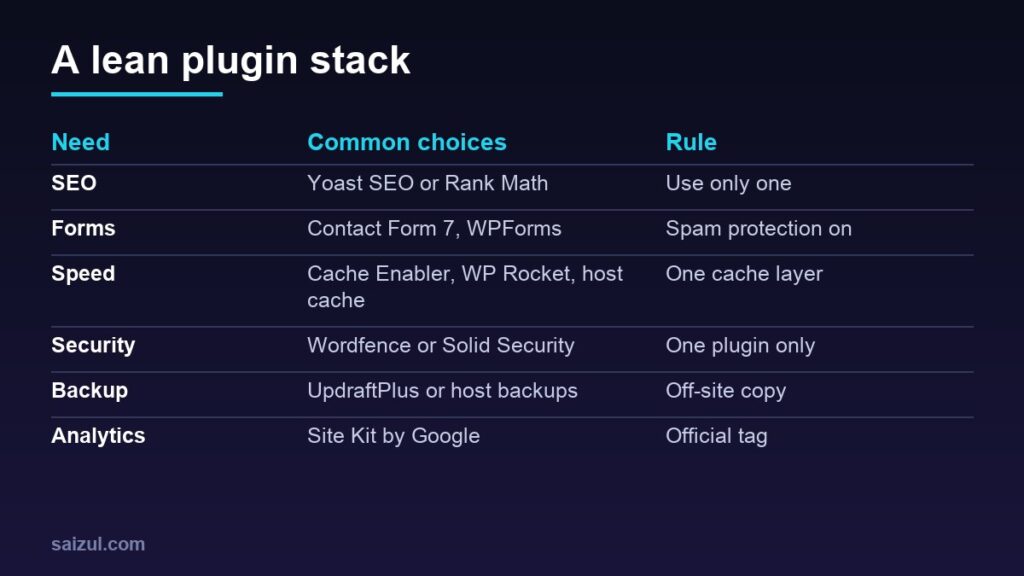
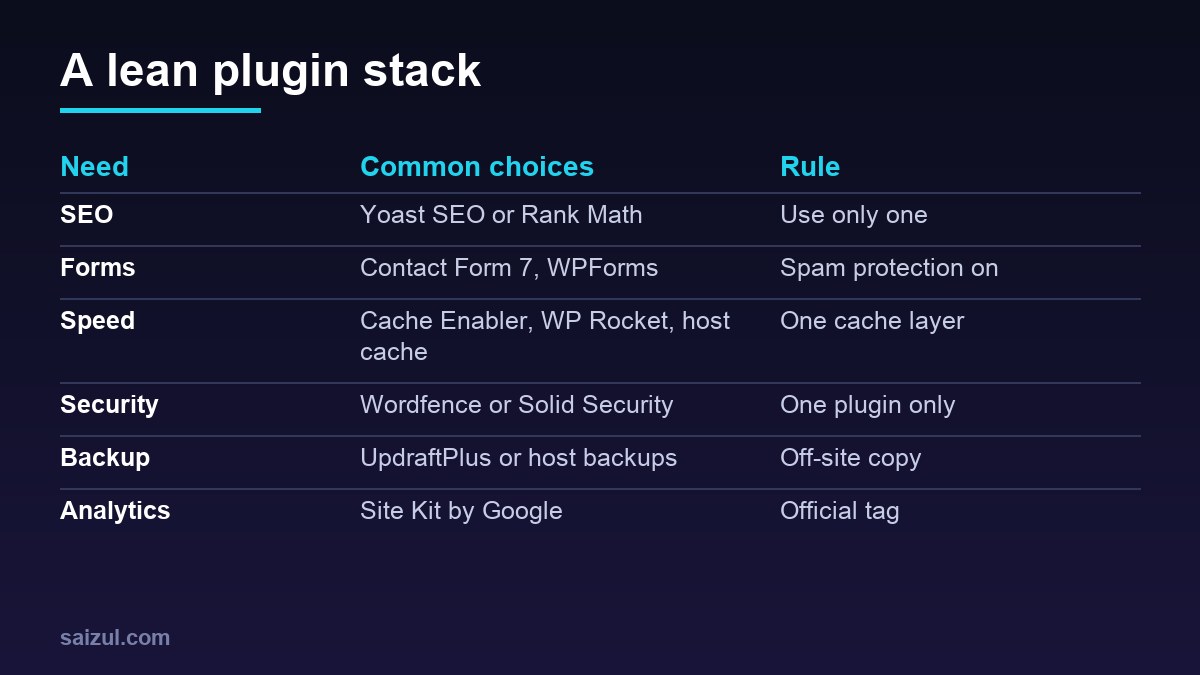
- SEO: Yoast SEO or Rank Math. Titles, descriptions, sitemaps and schema. Install one, never both.
- Forms: Contact Form 7 or WPForms. Add spam protection (reCAPTCHA or a honeypot) and test that emails arrive.
- Caching: one page cache such as Cache Enabler, your host’s cache or a premium option. Do not stack several cache plugins.
- Security: one reputable plugin (Wordfence or Solid Security) plus the habits in the security checklist.
- Backups: UpdraftPlus or host backups that store copies off the server.
- Analytics: Site Kit by Google for Analytics and Search Console (GA4 setup).
Useful extras (only if you need them)
| Need | Plugin type |
|---|---|
| Online shop | WooCommerce |
| Image optimisation | An image compression/WebP plugin |
| Redirects | Redirection plugin |
| Page design | Elementor or the block editor |
| Multi-language | Polylang or WPML |
How to judge any plugin
- Updated within the last few months and tested with your WordPress version.
- Active installs and reviews in the plugin directory.
- Clear support and a reasonable permissions footprint.
- Does one job without pulling large scripts on every page.
What to avoid
- Nulled premium plugins: free copies of paid plugins often hide malware.
- Overlapping plugins (two SEO, two security, two cache).
- Abandoned plugins with no updates in over a year.
- Plugins for tiny features that a few lines of code or a setting can do.
How many plugins is too many?
There is no magic number. A typical business site runs well with roughly 8 to 15 well-chosen plugins. Quality and weight matter more than count. Test speed before and after changes (see my speed checklist) and always back up first.
Need help with this on your own site or business?
I build and secure WordPress sites, web apps and AI automations end to end, in Bangla and English. The process is a free discovery call, a written scope with a fixed quote, a focused first version, then testing, deployment and monitoring.
See the portfolio and the AI agent services, or tell me what you need.
FAQ
Are free plugins safe?
Yes if they come from the official directory and are maintained. Avoid nulled copies.
Should I use a page builder?
Only if you need it; the block editor is lighter. Elementor is fine for design-heavy pages if you keep the site optimised.
How often should I update plugins?
Weekly checks, with security updates applied immediately after a backup.
Sources

Md Saizul Amin
Digital Systems Strategist · AI Agent Developer · 9+ years in digital & ITMd Saizul Amin is a digital systems strategist and AI automation engineer from Dhaka, Bangladesh. With 9+ years across IT, web development and digital marketing, he writes practical guides on technology, business, education and online growth — and builds the same kinds of systems (AI agents, websites, SEO and ad campaigns) for clients in Bangladesh, the UK and the USA.
Specialist in
Credentials & experience
- 🎓B.Sc. in Computer Science & EngineeringBangladesh University of Business & Technology (BUBT), 2017–2021
- 🤖AI Automation Engineer · Web Developer · SEO SpecialistUnique Mark Limited, Birmingham UK — 2024 to present
- 🌱IT SpecialistGreen Fund Initiative Inc., USA — 2024 to present
- 🏥Junior IT Consultant — Ministry of Health (DGHS)Built the first national Shareable Health Record website; supported 6,000+ facilities
- 🧭Head of ITWEDO Bangladesh — led IT for 50+ staff, 2021–2023