In this article
Introduction
Creating a one-page website has become a popular trend in the modern web design world. Whether you are promoting a product, personal portfolio, or simple landing page, a one-page website can effectively present all your content in a streamlined and user-friendly manner. Learning how to create a one page website will empower you to build attractive, minimalistic, and efficient sites that meet your specific needs.
This guide will cover every aspect of building a one-page website, from planning and design to development, SEO optimization, and launching. By following the steps provided, you will be able to create a fully-functional, attractive, and SEO-friendly one-page website.
What is a One Page Website?
A one-page website is a single HTML page where all the essential content is presented on a single scrolling page. Instead of navigating through multiple pages, visitors can scroll down or click on navigation links to access different sections of the same page.
Why Choose a One Page Website?
- Simplicity: Everything is accessible from a single page.
- Faster Loading Speed: Fewer requests are made to the server, resulting in faster load times.
- Improved User Experience: Simplified navigation makes it easier for users to find what they need.
- SEO-Friendly: With proper optimization, one-page websites can rank well on Google.
- Mobile Responsiveness: Easier to create a mobile-friendly experience.
Planning Your One Page Website
Before diving into the technical aspects, it’s essential to carefully plan your website.
Define Your Goals
Ask yourself the following questions:
- What is the purpose of your website? (e.g., portfolio, product promotion, landing page)
- Who is your target audience?
- What message do you want to convey?
Outline Your Content
Creating a clear outline will help you organize your content effectively.
- Introduction: Briefly describe your purpose.
- About Section: Provide background information or details about your business.
- Services/Products: Highlight key offerings.
- Portfolio: Showcase your work (if applicable).
- Testimonials: Add reviews or feedback from previous clients.
- Contact Information: Make it easy for visitors to reach you.
Designing Your One Page Website
Effective design is crucial for user engagement and SEO.
Choosing the Right Theme or Template
- Use platforms like WordPress, Webflow, or Wix for pre-built templates.
- Choose a theme that is responsive, fast, and visually appealing.
- Ensure compatibility with modern devices and browsers.
Designing the Layout
- Use a scroll-based navigation system.
- Divide your content into sections with clear headings.
- Add smooth scrolling effects for better user experience.
Visual Elements
- Include high-quality images, videos, and icons.
- Maintain consistency in fonts, colors, and style.
- Use white space effectively to enhance readability.
Developing Your One Page Website
Once you have your design ready, it’s time to build your website.
Choosing a Platform
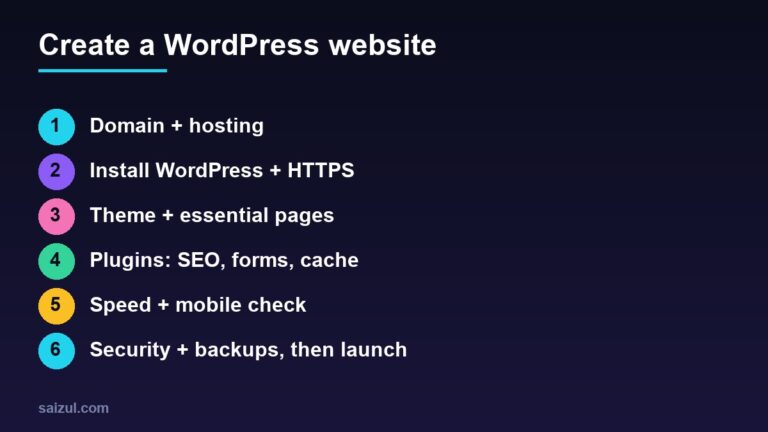
- WordPress: Ideal for beginners with plugins like Elementor for easy design.
- HTML & CSS: Suitable for more control and customization.
- Webflow: No-code platform for professional designs.
Creating the Structure
- Use HTML for the content structure.
- Style with CSS for aesthetics.
- Add JavaScript for dynamic elements if needed.
Navigation System
- Create anchor links to navigate different sections of the page.
- Ensure smooth scrolling for better user experience.
SEO Optimization
SEO is essential for making your one-page website visible to search engines.
On-Page SEO Techniques
- Use a focus keyword: “Create a One Page Website.”
- Add meta descriptions, alt tags, and header tags.
- Optimize images for faster load times.
- Include internal links to enhance navigation.
Technical SEO
- Ensure fast loading speed by compressing images and minifying code.
- Use a mobile-responsive design.
- Enable SSL certificate for enhanced security.
Testing and Launching Your Website
Before launching, make sure your website is fully optimized and error-free.
Testing
- Test on various devices (desktops, tablets, smartphones).
- Check compatibility with different browsers.
- Validate your HTML and CSS code.
Launching
- Purchase a domain and hosting plan.
- Deploy your website to the server.
- Submit your site to Google Search Console.
Monitoring and Maintenance
After launching your one-page website, you need to monitor and maintain it regularly.
Performance Monitoring Tools
- Google Analytics: Track visitor statistics and user behavior.
- Ahrefs/Semrush: Monitor SEO performance and keywords.
- GTmetrix: Analyze website speed and performance.
Regular Updates
- Update your content to keep it fresh and relevant.
- Monitor backlinks and remove broken links.
- Optimize for emerging SEO trends.
Conclusion
Learning how to create a one page website is a valuable skill for anyone looking to build a streamlined and effective online presence. By following the steps in this guide, you can create a visually appealing, user-friendly, and SEO-optimized website.
Whether you are creating a personal portfolio, promotional site, or landing page, a one-page website offers simplicity and efficiency. Ready to start your journey? Let’s create your masterpiece today!

Md Saizul Amin
Digital Systems Strategist · AI Agent Developer · 9+ years in digital & ITMd Saizul Amin is a digital systems strategist and AI automation engineer from Dhaka, Bangladesh. With 9+ years across IT, web development and digital marketing, he writes practical guides on technology, business, education and online growth — and builds the same kinds of systems (AI agents, websites, SEO and ad campaigns) for clients in Bangladesh, the UK and the USA.
Specialist in
Credentials & experience
- 🎓B.Sc. in Computer Science & EngineeringBangladesh University of Business & Technology (BUBT), 2017–2021
- 🤖AI Automation Engineer · Web Developer · SEO SpecialistUnique Mark Limited, Birmingham UK — 2024 to present
- 🌱IT SpecialistGreen Fund Initiative Inc., USA — 2024 to present
- 🏥Junior IT Consultant — Ministry of Health (DGHS)Built the first national Shareable Health Record website; supported 6,000+ facilities
- 🧭Head of ITWEDO Bangladesh — led IT for 50+ staff, 2021–2023