In this article
From my own builds: I’m Saizul Amin, an AI agent developer and automation engineer. I run AI agent systems in production on self-hosted n8n and Docker (Messenger, WhatsApp, Telegram and email), so the advice below comes from operating them, not from reading about them. Last reviewed: October 2026.
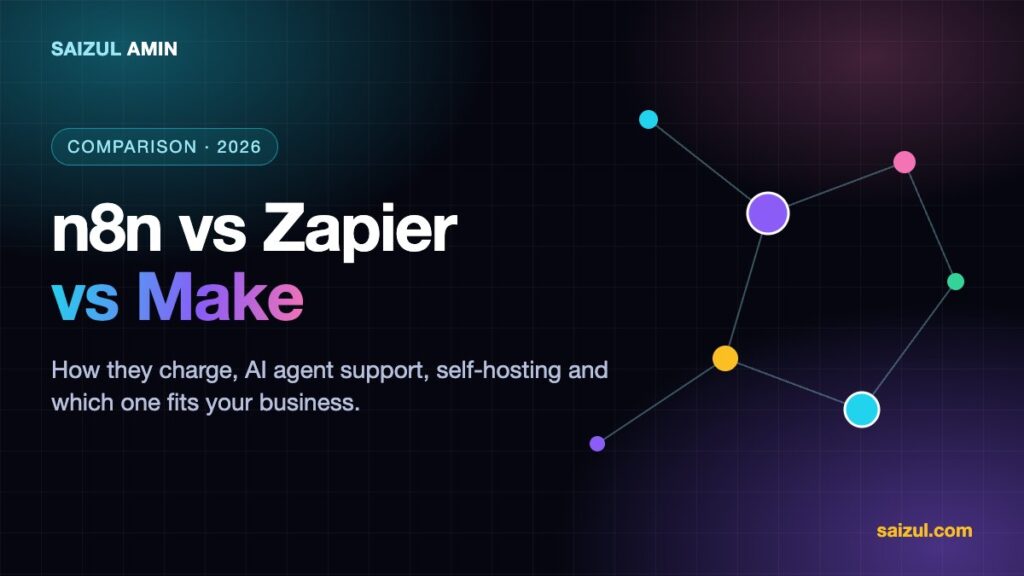
If you are choosing an automation platform in 2026, three names come up every time: Zapier, Make and n8n. All three connect apps and move data without you writing a full application. They differ a lot in how they charge, how much control they give you, and how well they handle AI agents.
A note on how this comparison was made: I build on n8n day to day, including production AI agents for clients, so that is where my hands-on experience is. For Zapier and Make I rely on testing small workflows and on each company’s public documentation and pricing pages. Features and prices change often, so treat the details as a guide and confirm on each vendor’s site before you buy.
The short answer
- Choose Zapier if you want the quickest path to a simple automation, you are not technical, and you value the largest catalogue of ready-made app connections more than cost.
- Choose Make if you want a visual builder with more power than Zapier for branching and data handling, at a lower price per workflow, and you are comfortable learning a slightly steeper tool.
- Choose n8n if you want AI agents, custom logic, self-hosting and data control, or if your volume would make per-task pricing expensive.
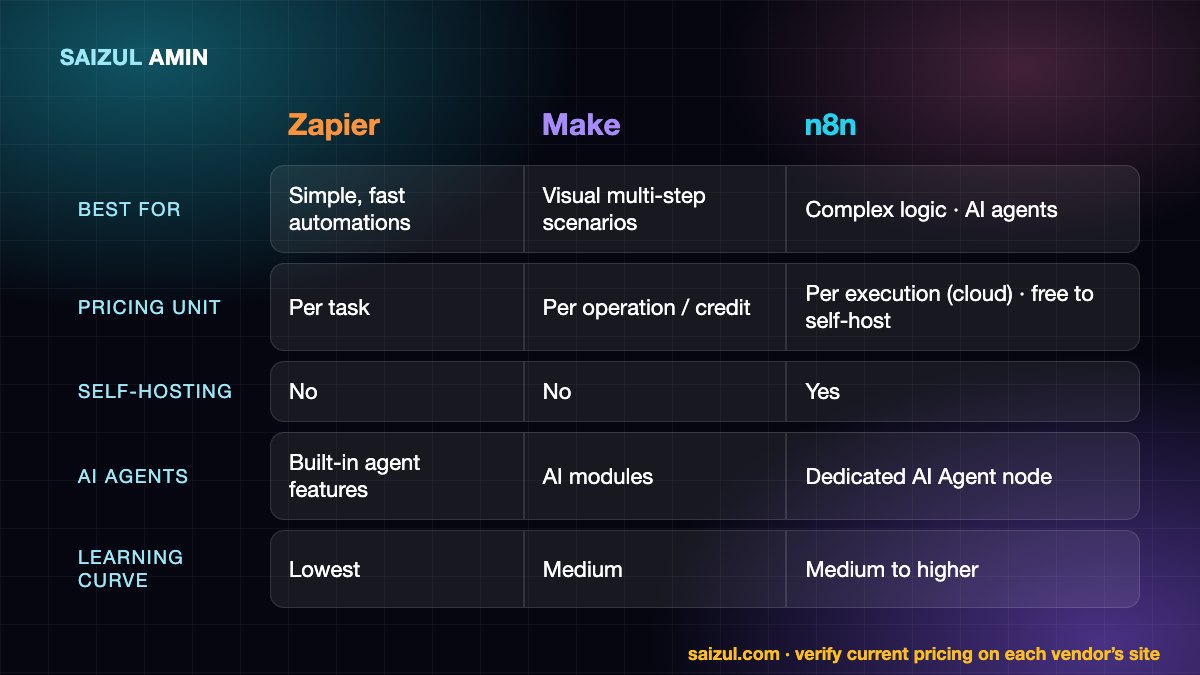
Side-by-side comparison
| Criteria | Zapier | Make | n8n |
|---|---|---|---|
| Best for | Simple, fast automations for non-technical teams | Visual, multi-step scenarios with branching | Complex logic, AI agents, self-hosted setups |
| How you build | Linear step-by-step “Zaps” | Visual canvas with routers and iterators | Node canvas with code nodes and sub-workflows |
| Pricing model | Counted per task (action step) | Counted per operation or credit | Cloud: per workflow execution. Self-hosted community edition: no per-execution fee |
| Self-hosting | No | No | Yes |
| App catalogue | Largest of the three | Very large | Large and growing, plus a generic HTTP node for anything with an API |
| AI agents | Offers agent features inside its platform | Offers AI modules and agent-style scenarios | Dedicated AI Agent node with models, memory and tools you can wire yourself |
| Custom code | Limited code steps | Some code and functions | JavaScript and Python code nodes, full control |
| Learning curve | Lowest | Medium | Medium to higher |
| Data control | Vendor cloud | Vendor cloud | Your own server if self-hosted |
How they charge matters more than the headline price
This is the part most comparisons gloss over. A tool that looks cheap at ten automations can become expensive at ten thousand runs.
- Zapier charges by tasks: roughly, each successful action step counts. A workflow with five action steps uses five tasks every time it runs.
- Make charges by operations (Make has been moving towards a credit wording, so check the current page). Each module that runs counts, so workflows that loop over many items add up fast.
- n8n Cloud charges per workflow execution, regardless of how many steps are inside. Self-hosted n8n has no per-execution fee, but you pay for the server and for your own maintenance time.
Rule of thumb: the more steps per workflow and the more runs per month, the more n8n’s model favours you. For a handful of small automations, any of the three is affordable. Verify with the official pricing pages for Zapier, Make and n8n.
AI agents: where the tools differ most
All three can call a language model, but building an agent that chooses tools, remembers a conversation and acts on several systems is a different level of need. (If that term is new, read what an AI agent is first.)
With n8n I can attach a model, memory and a set of tools to an agent node, swap the model without rebuilding anything, keep each customer’s conversation separate, and run the entire thing on my own server. That combination is why my live agents (Messenger in Bangla, WhatsApp booking, a multi-agent Telegram setup) run on self-hosted n8n. Zapier and Make are improving their AI features quickly, and for lighter use, such as summarising an email or classifying a form entry inside a larger automation, they are perfectly good.
If you want a step-by-step build, see my guide to building an AI agent with n8n.
Self-hosting and data control
If your workflows handle customer messages, orders or personal data, where that data lives matters. Zapier and Make run in the vendor’s cloud. n8n can run on your own VPS, so logs and credentials stay under your control, which helps with privacy requirements and with avoiding vendor lock-in. The cost is responsibility: updates, backups, security and uptime are yours (or your developer’s).
Learning curve
Zapier is the easiest to pick up in an hour. Make takes a little longer because of its routers, iterators and data mapping, but rewards you with more flexibility. n8n asks for the most comfort with JSON, expressions and APIs, and gives the most in return. A non-technical owner who only needs three simple automations will be happiest on Zapier; someone building a product-like system will outgrow it.
Which one should you choose? Common scenarios
| Your situation | Best fit |
|---|---|
| Send new form entries to a sheet and email, no tech skills | Zapier |
| Several branches, filtering and data transformation at moderate volume | Make |
| WhatsApp, Messenger or Telegram AI agent with memory and tools | n8n |
| High volume, so per-task fees would add up | n8n (self-hosted) |
| Strict data-control or privacy requirements | n8n (self-hosted) |
| Need a very niche app that already has a ready-made connector | Check which tool has it; Zapier often does |
You do not have to pick only one
Plenty of teams run a simple Zapier automation for a marketing tool and keep their core, high-volume or AI-heavy workflows on n8n. Start where the pain is, prove the value with one workflow, and let the second tool earn its place if you need it.
Tips if you are switching tools
- List every workflow, its trigger, its steps and how often it runs before you move anything.
- Rebuild the highest-value one first and run old and new in parallel for a week.
- Recreate credentials carefully and rotate any keys you exposed during testing.
- Add error alerts from day one; silent failures are the real risk of any migration.
AI agent development services: what I build for clients
I design, build, deploy and maintain custom AI agents for businesses. Everything below runs on infrastructure I operate myself (self-hosted n8n and Docker, with the model and channels chosen for your job), and I work in both Bangla and English.
- Customer-support and sales agents for WhatsApp, Facebook Messenger, Telegram, website chat and email: answer questions, qualify leads, book calls and hand over to a human.
- Voice and call agents that listen and speak: voice-note replies, booking conversations, speech-to-text summaries.
- Knowledge (RAG) assistants grounded in your own documents, price lists and SOPs, with a safe “I don’t know” fallback.
- Document and data agents that read invoices, forms and PDFs and push clean data into Google Sheets, your CRM or accounting tool.
- Marketing, ads and SEO agents for content pipelines, comment moderation, reporting and ad-account audits.
- Back-office and multi-agent systems where several specialised agents (researcher, writer, checker, publisher) work as one team.
The process is simple: a free discovery call, a written scope and fixed quote, a focused first version, testing against your real conversations, then deployment with monitoring. You can see live examples on the AI agent services page, browse the portfolio, or tell me about the job you want automated.
Frequently asked questions
Is n8n better than Zapier?
It depends on the job. n8n is stronger for AI agents, custom logic, high volume and self-hosting. Zapier is stronger for speed of setup and for non-technical users who want the widest range of ready-made connections.
Is Make cheaper than Zapier?
Often, for equivalent workloads, because of how operations are priced, but it depends on how many steps and runs you have. Calculate with your own numbers on the official pricing pages.
Which tool is best for AI automation?
For building real AI agents with tools, memory and your own infrastructure, n8n is my choice and what I use for client work. For adding a small AI step (summarise, classify, draft) to an existing automation, any of the three will do.
Can I use n8n without self-hosting?
Yes. n8n Cloud is the hosted version, so you get the same editor without running a server.
Can you set up the automation for me?
Yes. I build and maintain automations and AI agents for businesses. Tell me what you want to automate and I will recommend the right tool and a clear quote, even if the right answer is not n8n.
Sources and further reading
How this article was written
I wrote this myself from hands-on experience building and running AI agents for clients. Product behaviour and pricing models were checked against the official documentation linked above in October 2026. Tools change quickly, so if you spot something out of date, email info@saizul.com and I will correct it.
About the author
Saizul Amin is an AI agent developer, automation engineer and digital growth partner based in Bangladesh. He has built 7 production AI systems on self-hosted n8n, developed 50+ websites and managed 150K+ USD in advertising spend for clients across markets including the UK, the USA and Bangladesh. Learn more about Saizul, see his work, or get in touch.

Md Saizul Amin
Digital Systems Strategist · AI Agent Developer · 9+ years in digital & ITMd Saizul Amin is a digital systems strategist and AI automation engineer from Dhaka, Bangladesh. With 9+ years across IT, web development and digital marketing, he writes practical guides on technology, business, education and online growth — and builds the same kinds of systems (AI agents, websites, SEO and ad campaigns) for clients in Bangladesh, the UK and the USA.
Specialist in
Credentials & experience
- 🎓B.Sc. in Computer Science & EngineeringBangladesh University of Business & Technology (BUBT), 2017–2021
- 🤖AI Automation Engineer · Web Developer · SEO SpecialistUnique Mark Limited, Birmingham UK — 2024 to present
- 🌱IT SpecialistGreen Fund Initiative Inc., USA — 2024 to present
- 🏥Junior IT Consultant — Ministry of Health (DGHS)Built the first national Shareable Health Record website; supported 6,000+ facilities
- 🧭Head of ITWEDO Bangladesh — led IT for 50+ staff, 2021–2023