In this article
Introduction
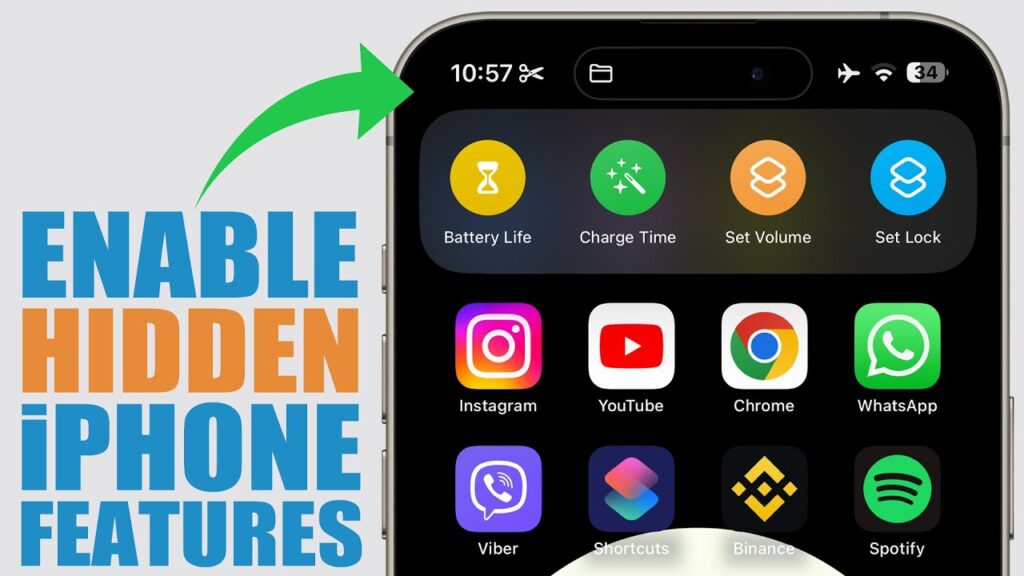
iPhones are known for their sleek design, robust security, and user-friendly interface. However, beyond the obvious functionalities, there are several hidden features that most users are not aware of. These hidden features can significantly enhance the user experience, making the iPhone even more powerful and convenient.
In this comprehensive guide, we will uncover the hidden features in iPhone that you probably never knew existed. From productivity hacks to accessibility improvements, we will explore every aspect that makes your iPhone usage smarter and more efficient.
Why Discovering Hidden Features Matters
- Improved Productivity: Using shortcuts and unknown features can make tasks quicker and easier.
- Enhanced Security: Some hidden settings can help you better secure your iPhone.
- Customization: Discover new ways to personalize your device.
- Increased Accessibility: Accessibility settings that are often overlooked can enhance usability for all.
- Battery Optimization: Discover hidden tweaks to improve battery life.
Hidden Features in iPhone You Should Know
1. Back Tap Gesture
Introduced with iOS 14, Back Tap is a customizable feature that allows users to perform actions by tapping the back of their iPhone. This can be configured for shortcuts, screenshots, or accessibility features.
How to Enable Back Tap:
- Go to Settings > Accessibility.
- Select Touch.
- Scroll down and tap Back Tap.
- Choose Double Tap or Triple Tap.
- Assign a desired action.
2. Hidden Trackpad
Typing on your iPhone can be challenging, especially when editing text. The hidden trackpad feature makes text editing much easier.
How to Use the Hidden Trackpad:
- Open the keyboard in any app.
- Long press the spacebar until the keys fade out.
- Move your finger around to control the cursor.
3. Measure App’s Level Feature
The Measure app has a hidden level feature that can be accessed by:
- Opening the Measure app.
- Swiping left on the screen.
- Using your iPhone as a leveling tool for hanging pictures or aligning objects.
4. Magnifier Tool
The Magnifier tool is a powerful accessibility feature that turns your iPhone into a digital magnifying glass. This tool can be helpful for reading small text or examining fine details.
How to Enable Magnifier:
- Go to Settings > Accessibility.
- Tap Magnifier.
- Toggle it on.
5. Screen Recording
While many people know about taking screenshots, the built-in screen recording tool is often overlooked.
How to Enable Screen Recording:
- Go to Settings > Control Center.
- Tap the + next to Screen Recording.
- Swipe down from the top-right corner of the screen to access the Control Center.
- Tap the Record button.
6. Text Replacement Shortcuts
Creating shortcuts for commonly used phrases can save time and effort.
How to Set Up Text Replacement:
- Go to Settings > General > Keyboard.
- Tap Text Replacement.
- Tap the + icon and create your shortcut.
7. Call Blocking & Identification
Blocking spam calls is easy with the built-in call blocking feature.
How to Block Calls:
- Go to Settings > Phone.
- Tap Call Blocking & Identification.
- Add numbers you want to block.
8. Create Custom Vibration Patterns
You can create custom vibration alerts for different contacts.
How to Set Custom Vibration:
- Go to Settings > Sounds & Haptics > Ringtone.
- Tap Vibration.
- Select Create New Vibration.
Best Practices for Using Hidden Features
- Regularly Update Your iPhone: New iOS updates often bring new hidden features.
- Explore Settings: Delve into the Settings app to discover functionalities you may have missed.
- Enable Accessibility Features: Many of the hidden features are designed for accessibility but are useful for all users.
- Backup Data: Before experimenting with new features, ensure your data is backed up.
- Join Online Forums: Learn from other users who discover lesser-known functionalities.
Conclusion
iPhones are packed with hidden features that can significantly enhance your overall user experience. Whether you want to customize your device, improve productivity, or enhance accessibility, exploring these hidden features can help you make the most out of your iPhone.
By understanding these hidden features in iPhone, you can unlock new potential and improve your daily interactions with your device. So, what are you waiting for? Start exploring!

Md Saizul Amin
Digital Systems Strategist · AI Agent Developer · 9+ years in digital & ITMd Saizul Amin is a digital systems strategist and AI automation engineer from Dhaka, Bangladesh. With 9+ years across IT, web development and digital marketing, he writes practical guides on technology, business, education and online growth — and builds the same kinds of systems (AI agents, websites, SEO and ad campaigns) for clients in Bangladesh, the UK and the USA.
Specialist in
Credentials & experience
- 🎓B.Sc. in Computer Science & EngineeringBangladesh University of Business & Technology (BUBT), 2017–2021
- 🤖AI Automation Engineer · Web Developer · SEO SpecialistUnique Mark Limited, Birmingham UK — 2024 to present
- 🌱IT SpecialistGreen Fund Initiative Inc., USA — 2024 to present
- 🏥Junior IT Consultant — Ministry of Health (DGHS)Built the first national Shareable Health Record website; supported 6,000+ facilities
- 🧭Head of ITWEDO Bangladesh — led IT for 50+ staff, 2021–2023