In this article
For many small businesses, Messenger is the busiest sales channel and the hardest to keep up with. The same questions arrive all day: price, delivery charge, is it available, where are you. Answering each one by hand eats hours, and slow replies lose orders. Automation helps, but it does not have to start with an expensive chatbot. Meta Business Suite already includes free automations that handle a surprising share of routine messages. This guide shows how to set them up, the Meta rules to follow, and the point at which a chatbot starts to make sense.
From my own work: When a business asks me for a Messenger chatbot, I usually look at their inbox first. Quite often a well-written greeting, an away message and a handful of saved answers solve most of the problem, and a chatbot is only worth building once those are in place and the volume is still too high.
If you already know you want an assistant that understands free-text questions in Bangla, my separate guide to a Messenger AI chatbot in Bangla covers that build. This article focuses on the built-in tools and the rules that apply to any automation.
What you can automate without extra software
In Meta Business Suite, open Inbox, then Automations. The options change from time to time, but they usually include:
- Instant reply: a greeting sent when someone messages your page for the first time (automated Messenger greeting).
- Away message: a reply sent when you are marked away or outside your set hours.
- Frequently asked questions: suggested questions customers can tap, each with a saved answer.
- Keyword replies: an automatic answer when a message contains words you choose, such as “price” or “delivery”.
- Comment-related replies on some setups, which reply privately to people who comment on a post.
Separately, saved replies are not automatic, but they let a person send a prepared answer with a couple of taps. They are often the biggest time saver.
Step 1: Write your instant reply
The instant reply is the first thing a new customer sees. Make it useful, not just polite.
- In Meta Business Suite go to Inbox → Automations → Instant reply.
- Turn it on and select Messenger (and Instagram if you use it).
- Write a short greeting that says when you usually reply and how to order.
- Personalise it with the customer’s name if the option is offered.
- Save and test it from a personal account.
An example: “Hi [name], thanks for messaging us. We reply between 10am and 10pm. To order, send the product photo, your name, address and phone number. Delivery details are in our pinned post.”
Step 2: Set an away message and hours
Set your business hours on the page and turn on the away message for outside those hours. Tell customers when you will be back and, if you have a website or a pinned post with prices and delivery information, link to it so they can keep browsing. Do not set the page to “always open” if nobody is watching; customers notice when promises are not kept.
Step 3: Add FAQs and keyword replies
Look at the last month of messages and pick the five to ten questions that come up most. Typical ones for an online seller:
| Question | Keyword ideas | Automated answer covers |
|---|---|---|
| How much is it? | price, dam, koto | Where prices are listed, how to ask for a specific item |
| Delivery charge and time? | delivery, charge | Charges inside and outside Dhaka, usual days |
| How to order? | order, kivabe | The details you need from the customer |
| Payment options? | bkash, payment, COD | Cash on delivery and mobile payment options |
| Location and hours? | address, location | Shop or pickup address, hours, map link |
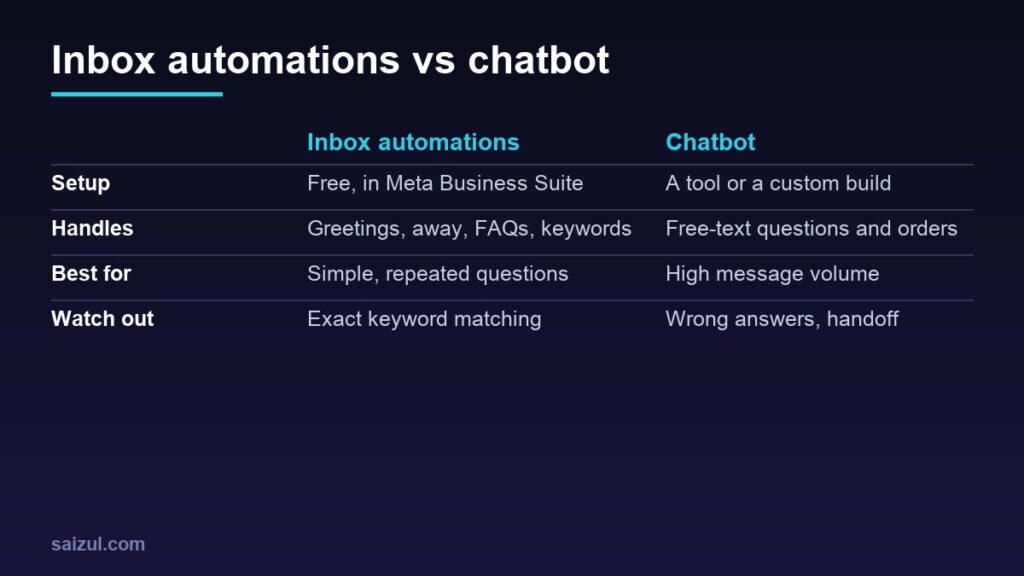
- Keyword matching is literal. Customers write in Bangla, English and Banglish, with many spellings, so add common variations and test them.
- Keep each answer short and end with the next step.
- Do not automate answers that change often, such as stock, unless you will update them every time.
Saved replies for the same questions help your team when the automation does not trigger. My guide to WhatsApp Business for e-commerce covers the same idea for WhatsApp.
Step 4: Follow Meta’s messaging rules
These rules come from Meta’s Messenger Platform policy and apply to any automation or chatbot connected to your page:
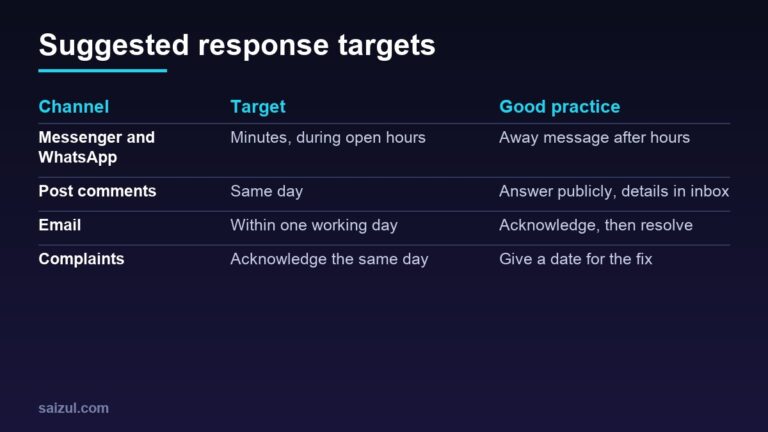
- The 24-hour window. For most conversations, you can reply to a customer, including with promotional content, within 24 hours of their message. Conversations started from a click-to-Messenger ad may have a longer window of up to 7 days.
- Outside the window, messages are limited to specific approved cases, such as message tags for certain updates and a human agent tag that lets a person reply within 7 days. Sending promotions outside these cases can get your messaging restricted.
- Bots must respond quickly. Automated experiences must respond to user input within 30 seconds.
- Disclose automation where the law requires it, and Meta recommends doing so anyway, for example “You are chatting with our automated assistant”.
In short, Messenger automation is for answering people who contacted you, not for broadcasting offers to everyone who ever messaged the page.
Step 5: Make it easy to reach a person
- End automated answers with an option such as “Type AGENT to talk to our team” or a clear note that a person will reply during working hours.
- Check the inbox regularly for conversations the automation could not handle.
- Keep complaints, refunds and anything involving payments with a person.
When to add a chatbot
The built-in tools work best for simple, repeated questions. Consider a chatbot connected through a Meta-approved tool or a custom build when:
- Message volume is still too high for your team after the basics are set up.
- Customers ask about many products, sizes or variations that fixed answers cannot cover.
- You want to take orders, capture leads into a sheet or CRM, or check order status automatically.
- You need replies in Bangla that understand free text and mixed spellings.
A chatbot needs accurate product data, a clear handoff and regular checking of its answers. The Bangla build is in the Messenger AI chatbot guide, the WhatsApp version in WhatsApp AI chatbot for business, and wider ideas in automation for small business.
How to tell if it is working
- Response time shown in your inbox before and after setup.
- How many conversations still need a person, and why.
- Orders from Messenger, tracked by asking or with a simple order sheet.
- Customer reactions. If people repeat themselves or complain about the bot, simplify it.
Faster replies also help your page grow; see how to grow a Facebook business page. If you run click-to-Messenger ads, read Facebook ads for beginners so the automation and the ads work together.
Quick checklist
- Instant reply with hours and how to order.
- Business hours and an away message.
- FAQs and keyword replies for the top questions, with spelling variations.
- Saved replies for the team.
- A clear way to reach a person.
- No promotions outside the 24-hour window or approved cases.
- Inbox checked daily for missed conversations.
Need help with this on your own site or business?
I build and secure WordPress sites, web apps and AI automations end to end, in Bangla and English: a free discovery call, a written scope with a fixed quote, a focused first version, then testing, deployment and monitoring.
See the portfolio and the AI agent services, or tell me what you need.
FAQ
Is Messenger automation free?
The automations in Meta Business Suite, such as instant replies, away messages and FAQs, are included at no extra cost. Third-party chatbot tools and custom builds usually charge.
Can I send offers to everyone who messaged my page?
Not freely. Promotional messages are generally allowed only within 24 hours of the customer’s last message, or through specific paid or approved options. Mass messaging outside those rules can get your messaging restricted.
Do keyword replies work with Bangla and Banglish?
They match the words you set, so add the common Bangla, English and Banglish spellings customers use and test them. For flexible understanding of free text, a chatbot is needed.
Will automation make my page look impersonal?
Not if the replies are short, helpful and honest, and a person is easy to reach. Customers mind slow replies more than a clear automated greeting.
Sources

Md Saizul Amin
Digital Systems Strategist · AI Agent Developer · 9+ years in digital & ITMd Saizul Amin is a digital systems strategist and AI automation engineer from Dhaka, Bangladesh. With 9+ years across IT, web development and digital marketing, he writes practical guides on technology, business, education and online growth — and builds the same kinds of systems (AI agents, websites, SEO and ad campaigns) for clients in Bangladesh, the UK and the USA.
Specialist in
Credentials & experience
- 🎓B.Sc. in Computer Science & EngineeringBangladesh University of Business & Technology (BUBT), 2017–2021
- 🤖AI Automation Engineer · Web Developer · SEO SpecialistUnique Mark Limited, Birmingham UK — 2024 to present
- 🌱IT SpecialistGreen Fund Initiative Inc., USA — 2024 to present
- 🏥Junior IT Consultant — Ministry of Health (DGHS)Built the first national Shareable Health Record website; supported 6,000+ facilities
- 🧭Head of ITWEDO Bangladesh — led IT for 50+ staff, 2021–2023