In this article
How to Create Online Website for Business: A Complete Step-by-Step Guide.
Table of Contents
- Introduction
- Why Your Business Needs a Website
- Planning Your Online Business Website
- Choosing the Right Domain Name
- Selecting the Best Web Hosting Service
- Choosing the Right Platform (CMS vs. Website Builder)
- Designing the Structure of Your Website
- Creating Business-Oriented Pages
- SEO Optimization: Getting Found on Google
- Essential Plugins and Tools
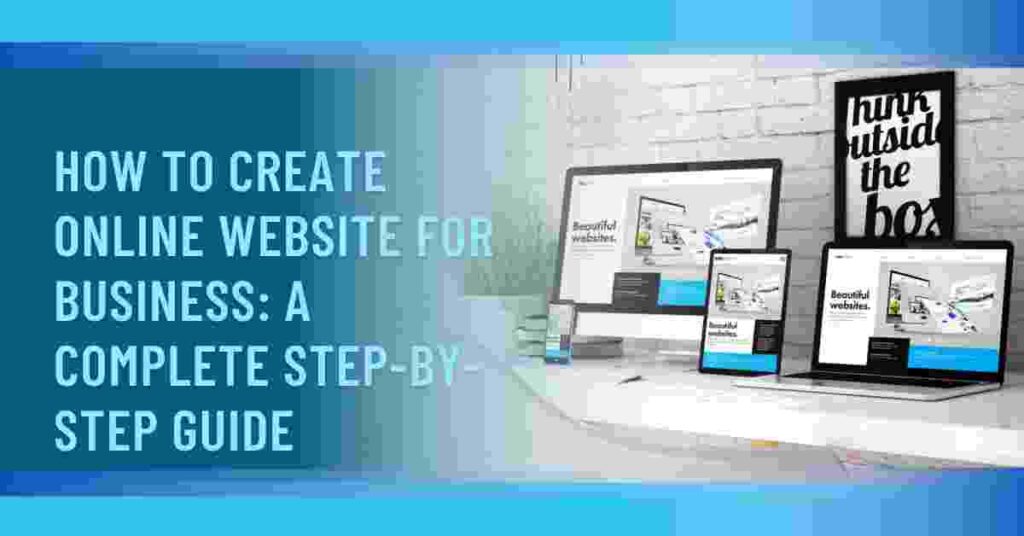
- Mobile Optimization and Responsiveness
- Creating Engaging and Sales-Driven Content
- Legal Pages Every Business Website Needs
- Security Measures and SSL Certificates
- Integrating Payment Gateways for Online Sales
- Connecting Social Media Channels
- Email Marketing Integration
- Analytics: Tracking Website Performance
- Website Maintenance and Updates
- Common Mistakes to Avoid
- Final Thoughts
- FAQs
1. Introduction
Creating an online website for business has become more important than ever in today’s digital-first economy. Regardless of whether you’re a small business owner, a startup entrepreneur, or a freelancer, having a website ensures that your potential customers can find you, trust you, and interact with your services 24/7.
This ultimate guide will walk you through everything—from choosing the perfect domain name to optimizing your site for Google—ensuring your website is professional, user-friendly, and aligned with current SEO best practices and How to Create Online Website for Business.
2. Why Your Business Needs a Website
A business website serves as your digital storefront. Here’s why you need one:
- Online Presence 24/7: Your website is always available, even when your physical store is closed.
- Credibility and Trust: Customers trust businesses with websites more than those without.
- Digital Marketing Hub: Your site becomes the focal point for SEO, social media, email marketing, and PPC ads.
- Customer Engagement: It offers blogs, FAQs, live chat, contact forms, and product demos.
- Global Reach: A website allows businesses to reach audiences beyond their local market.
- Cost-Effective Marketing: Compared to traditional advertising, website marketing is far more affordable and measurable.
3. Planning Your Online Business Website
Before you start building, answer these essential questions:
- What is the goal of your website?
- Who is your target audience?
- What features do you need (e.g., e-commerce, blog, contact form)?
- Who are your competitors, and what are they doing well?
Use a planning sheet or spreadsheet to define:
- Website goals
- Target customer profiles
- Required functionalities
- Design inspiration
- Timeline and budget
4. Choosing the Right Domain Name
Your domain name is your website’s identity. Make it count.
Tips to Choose a Good Domain:
- Keep it short and memorable
- Use keywords related to your business
- Avoid hyphens and numbers
- Choose the right domain extension (.com, .net, .biz, etc.)
- Make it brandable
Tools to Use:
- Namecheap
- GoDaddy
- Google Domains
- DomainWheel
Once chosen, register your domain through a reputable registrar and set auto-renew to avoid losing it.
5. Selecting the Best Web Hosting Service
Hosting is where your website files live. Without reliable hosting, your website might be slow or unavailable.
Types of Hosting:
- Shared Hosting – Budget-friendly, good for beginners
- VPS Hosting – More resources and better performance
- Dedicated Hosting – Complete control, expensive
- Cloud Hosting – Scalable and flexible
- Managed WordPress Hosting – Optimized for WordPress websites
Top Hosting Providers:
- Bluehost
- SiteGround
- Hostinger
- A2 Hosting
- Cloudways
- WP Engine (for WordPress users)
Key Features to Look For:
- 99.9% uptime guarantee
- Fast loading speed
- SSL certificate
- Excellent support
- Easy scalability
- One-click CMS install
6. Choosing the Right Platform (CMS vs. Website Builder)
There are two main options for creating your website:
A. Content Management System (CMS)
A CMS like WordPress, Joomla, or Drupal is flexible, scalable, and ideal for long-term growth.
Advantages:
- Complete design control
- SEO tools and plugins
- E-commerce capability
- Blogging and content management
- Scalable as business grows
B. Website Builders
Drag-and-drop tools like Wix, Squarespace, and Shopify are beginner-friendly.
Advantages:
- No coding required
- Fast to deploy
- Pre-designed templates
- All-in-one packages (hosting + domain + design)
Comparison Chart:
| Feature | CMS (WordPress) | Website Builders |
| Ease of Use | Moderate | Very Easy |
| Flexibility | High | Medium |
| SEO Options | Advanced | Limited |
| Ownership | Full | Limited |
| Cost | Low to Moderate | Moderate to High |
7. Designing the Structure of Your Website
Before jumping into design, wireframe your website. Think about:
- Homepage layout
- Navigation menu
- Page hierarchy
- Call to actions
- Footer content
- Mobile layout
Recommended Page Structure:
- Home
- About Us
- Services or Products
- Portfolio/Case Studies
- Testimonials
- Blog
- Contact Us
Use tools like Figma, Sketch, or Canva for wireframing if needed.
8. Creating Business-Oriented Pages
Each page should serve a purpose and include optimized content.
Homepage
- Clear value proposition
- Eye-catching banner
- Navigation menu
- Call-to-action buttons
- Service highlights
- Testimonials
- Newsletter signup
About Page
- Company story
- Mission and vision
- Team introduction
- Business achievements
Services/Product Page
- Feature-rich descriptions
- High-quality images or videos
- Benefits and outcomes
- Pricing and purchase options
Contact Page
- Contact form
- Email and phone number
- Google Map location
- Social links
Blog
- Informative, SEO-optimized content
- Internal linking
- Social sharing buttons
9. SEO Optimization: Getting Found on Google
To rank high in search engines, follow these SEO practices:
- Keyword Research: Use tools like Google Keyword Planner, Ubersuggest, or Ahrefs.
- On-Page SEO:
- Optimize title tags and meta descriptions
- Use header tags (H1, H2, H3)
- Add internal and external links
- Use schema markup
- Content SEO:
- Create long-form, original, helpful content
- Focus on E-E-A-T (Experience, Expertise, Authoritativeness, Trustworthiness)
- Technical SEO:
- Fast-loading site (use PageSpeed Insights)
- Mobile responsiveness
- Secure (HTTPS)
- XML sitemap
- Robots.txt file
10. Essential Plugins and Tools
If using WordPress, consider these:
- Yoast SEO or Rank Math: On-page SEO
- Elementor or WPBakery: Page building
- WooCommerce: E-commerce
- WPForms: Forms
- UpdraftPlus: Backups
- Wordfence: Security
- MonsterInsights: Google Analytics
11. Mobile Optimization and Responsiveness
With over 60% of traffic from mobile devices, a responsive design is critical.
Best Practices:
- Use responsive themes
- Optimize image sizes
- Use larger fonts
- Test with Google Mobile-Friendly Test
12. Creating Engaging and Sales-Driven Content
Content must educate, engage, and convert.
Types of Content to Include:
- Product/service pages
- Blog articles
- Testimonials and case studies
- Video content
- FAQs
Writing Tips:
- Speak in a customer-friendly tone
- Use bullet points and headings
- Include clear CTAs
- Focus on benefits, not just features
13. Legal Pages Every Business Website Needs
Comply with regulations by adding:
- Privacy Policy
- Terms and Conditions
- Cookie Policy
- Return & Refund Policy (for e-commerce)
- Disclaimer (for blogs)
Use free generators like TermsFeed or consult a legal expert.
14. Security Measures and SSL Certificates
Protect customer data and build trust.
- Get an SSL Certificate (HTTPS)
- Use strong passwords
- Install security plugins
- Regular backups
- Update plugins/themes regularly
15. Integrating Payment Gateways for Online Sales
For e-commerce websites, enable secure payment options:
Popular Gateways:
- Stripe
- PayPal
- Square
- Razorpay
- 2Checkout
Ensure PCI compliance and SSL encryption.
16. Connecting Social Media Channels
Boost visibility and brand trust:
- Add social media buttons
- Enable social sharing
- Display latest posts or feeds
- Use consistent branding across platforms
17. Email Marketing Integration
Build and nurture customer relationships through email.
Use tools like:
- Mailchimp
- ConvertKit
- ActiveCampaign
- GetResponse
Strategies:
- Add popups for lead capture
- Offer discounts for subscriptions
- Send newsletters and updates
18. Analytics: Tracking Website Performance
Set up:
- Google Analytics 4 (GA4)
- Google Search Console
- Hotjar or Microsoft Clarity (heatmaps)
Track:
- Traffic sources
- User behavior
- Conversion rates
- Bounce rate
- Keyword rankings
19. Website Maintenance and Updates
Keep your site fast, secure, and relevant.
- Update themes and plugins
- Backup regularly
- Monitor uptime and downtime
- Remove spam comments
- Refresh old blog content
20. Common Mistakes to Avoid
- Choosing the wrong platform
- Poor hosting choice
- Ignoring mobile design
- Overlooking SEO basics
- Weak call-to-actions
- Not securing the site
- Missing legal pages
21. Final Thoughts
How to Create Online Website for Business or building an online business website is a strategic investment that offers long-term benefits. With the right approach, tools, and consistent optimization, your website can become your most powerful business asset.
22. FAQs
Q: Can I create a business website for free?
Yes, platforms like WordPress.com and Wix offer free options, but they come with limitations. Investing in a custom domain and premium hosting is more professional.
Q: How long does it take to create a business website?
A basic site can be built in 1-3 days. A full-featured business website might take 2-4 weeks depending on complexity.
Q: Is coding required?
No. With modern builders and CMSs like WordPress, anyone can build a website without coding.
Q: What’s the average cost?
Expect to spend $50–$300 per year for basic needs, and $500–$5000+ for advanced, custom websites.
Read More: How to Make a Shopify Store: A Step-by-Step Guide

Md Saizul Amin
Digital Systems Strategist · AI Agent Developer · 9+ years in digital & ITMd Saizul Amin is a digital systems strategist and AI automation engineer from Dhaka, Bangladesh. With 9+ years across IT, web development and digital marketing, he writes practical guides on technology, business, education and online growth — and builds the same kinds of systems (AI agents, websites, SEO and ad campaigns) for clients in Bangladesh, the UK and the USA.
Specialist in
Credentials & experience
- 🎓B.Sc. in Computer Science & EngineeringBangladesh University of Business & Technology (BUBT), 2017–2021
- 🤖AI Automation Engineer · Web Developer · SEO SpecialistUnique Mark Limited, Birmingham UK — 2024 to present
- 🌱IT SpecialistGreen Fund Initiative Inc., USA — 2024 to present
- 🏥Junior IT Consultant — Ministry of Health (DGHS)Built the first national Shareable Health Record website; supported 6,000+ facilities
- 🧭Head of ITWEDO Bangladesh — led IT for 50+ staff, 2021–2023