In this article
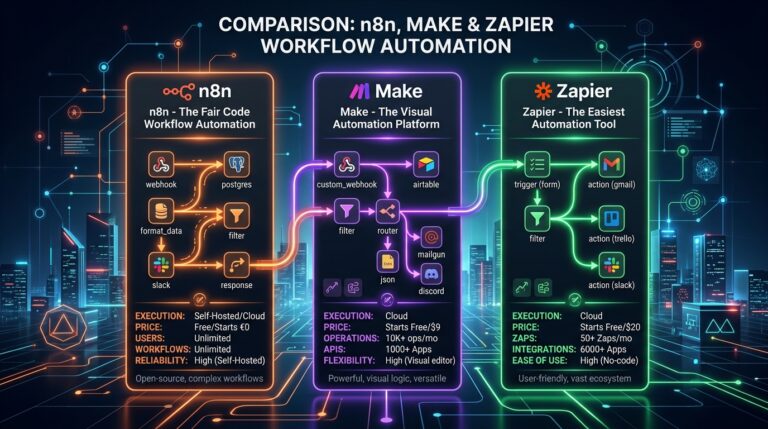
As organizations scale their workflow automation, commercial cloud platforms like Zapier and Make become prohibitively expensive, enforce restrictive execution concurrency limits, and present critical data privacy liabilities. n8n has emerged as the industry-standard open-source workflow automation platform, providing node-based flexibility alongside complete self-hosted sovereign control.
However, running n8n in a single-container default SQLite configuration is only suitable for hobby experimentation. The moment you execute high-frequency webhooks, heavy JSON payload parsing, or complex AI agent nodes, SQLite will lock, the container will throttle CPU, and workflow executions will drop silently. In this engineering guide, we build a production-ready, self-hosted n8n cluster in queue mode using Docker Compose, dedicated PostgreSQL, Redis queue workers, and automated TLS termination via Caddy.
| Component / Setting | Default Quickstart | Production Queue Mode |
|---|---|---|
| Execution Architecture | Single monolithic process | Main webhook instance + N worker processes |
| Database Engine | SQLite (File-based locking) | PostgreSQL 16 (Connection pooled) |
| Queue Broker | None (In-memory stack) | Redis Alpine (In-memory persistence) |
| Webhook Concurrency | < 15 concurrent executions | 500+ concurrent requests/sec |
| SSL & Reverse Proxy | Unencrypted / manual certbot | Automated Let’s Encrypt TLS (Caddy 2) |
| Disaster Recovery | Manual directory copying | Daily encrypted S3/GCS database dump |
1. Prerequisites & Recommended Server Specs
To ensure high throughput and zero dropped executions, we recommend hosting on a dedicated Virtual Private Server (VPS) with the following baseline specifications:
- CPU: 2–4 vCPU cores (AMD EPYC or Intel Xeon)
- RAM: 4 GB minimum (8 GB recommended for 2+ worker nodes and memory-intensive AI nodes)
- Storage: 40+ GB NVMe SSD storage
- OS: Ubuntu 24.04 LTS / Debian 12
- DNS: An A Record pointing
n8n.yourdomain.comto your VPS IP address.
2. Production Docker Compose Configuration
Create a dedicated deployment directory on your server (e.g. /opt/n8n-cluster) and deploy the following battle-tested docker-compose.yml file:
version: '3.8'

services:
  caddy:
    image: caddy:2-alpine
    restart: unless-stopped
    ports:
      - "80:80"
      - "443:443"
    volumes:
      - ./Caddyfile:/etc/caddy/Caddyfile:ro
      - caddy_data:/data
      - caddy_config:/config
    networks:
      - n8n_net

  postgres:
    image: postgres:16-alpine
    restart: unless-stopped
    environment:
      POSTGRES_USER: ${POSTGRES_USER}
      POSTGRES_PASSWORD: ${POSTGRES_PASSWORD}
      POSTGRES_DB: ${POSTGRES_DB}
    volumes:
      - postgres_data:/var/lib/postgresql/data
    networks:
      - n8n_net
    healthcheck:
      test: ["CMD-SHELL", "pg_isready -U ${POSTGRES_USER} -d ${POSTGRES_DB}"]
      interval: 5s
      timeout: 5s
      retries: 5

  redis:
    image: redis:7-alpine
    restart: unless-stopped
    command: redis-server --appendonly yes --requirepass ${REDIS_PASSWORD}
    volumes:
      - redis_data:/data
    networks:
      - n8n_net

  n8n_primary:
    image: n8nio/n8n:latest
    restart: unless-stopped
    environment:
      - DB_TYPE=postgresdb
      - DB_POSTGRESDB_HOST=postgres
      - DB_POSTGRESDB_PORT=5432
      - DB_POSTGRESDB_DATABASE=${POSTGRES_DB}
      - DB_POSTGRESDB_USER=${POSTGRES_USER}
      - DB_POSTGRESDB_PASSWORD=${POSTGRES_PASSWORD}
      - EXECUTIONS_MODE=queue
      - QUEUE_BULL_REDIS_HOST=redis
      - QUEUE_BULL_REDIS_PORT=6379
      - QUEUE_BULL_REDIS_PASSWORD=${REDIS_PASSWORD}
      - N8N_HOST=n8n.yourdomain.com
      - N8N_PORT=5678
      - N8N_PROTOCOL=https
      - WEBHOOK_URL=https://n8n.yourdomain.com/
      - GENERIC_TIMEZONE=UTC
    volumes:
      - n8n_data:/home/node/.n8n
    depends_on:
      postgres:
        condition: service_healthy
      redis:
        condition: service_started
    networks:
      - n8n_net

  n8n_worker:
    image: n8nio/n8n:latest
    restart: unless-stopped
    command: worker --concurrency=10
    environment:
      - DB_TYPE=postgresdb
      - DB_POSTGRESDB_HOST=postgres
      - DB_POSTGRESDB_PORT=5432
      - DB_POSTGRESDB_DATABASE=${POSTGRES_DB}
      - DB_POSTGRESDB_USER=${POSTGRES_USER}
      - DB_POSTGRESDB_PASSWORD=${POSTGRES_PASSWORD}
      - EXECUTIONS_MODE=queue
      - QUEUE_BULL_REDIS_HOST=redis
      - QUEUE_BULL_REDIS_PORT=6379
      - QUEUE_BULL_REDIS_PASSWORD=${REDIS_PASSWORD}
    volumes:
      - n8n_data:/home/node/.n8n
    depends_on:
      - n8n_primary
    networks:
      - n8n_net

volumes:
  caddy_data:
  caddy_config:
  postgres_data:
  redis_data:
  n8n_data:

networks:
  n8n_net:
    driver: bridge
3. Reverse Proxy Configuration with Caddy
Caddy automatically provisions and renews Let’s Encrypt SSL certificates with zero manual intervention. Place this minimal Caddyfile in the same directory:
n8n.yourdomain.com {
    reverse_proxy n8n_primary:5678 {
        header_up X-Forwarded-Host {host}
        header_up X-Real-IP {remote_host}
    }
}
4. Scaling Workers Horizontally
The core advantage of queue mode is horizontal scaling. If your automation workflows spike during marketing campaigns or scheduled midnight batch syncs, you can dynamically scale worker instances without restarting your primary interface:
# Scale to 3 concurrent execution workers instantly
docker compose up -d --scale n8n_worker=3
Incoming webhook requests are acknowledged instantly by n8n_primary, placed on the Redis Bull queue, and processed by whichever worker thread has idle capacity.
5. Automated Pruning and Maintenance
By default, n8n records execution history for every single workflow run. Without maintenance, your PostgreSQL database will accumulate millions of records and consume tens of gigabytes of disk space. Add these environmental variables to both n8n_primary and n8n_worker:
EXECUTIONS_DATA_PRUNE=true
EXECUTIONS_DATA_MAX_AGE=168     # Prune logs older than 7 days (168 hours)
EXECUTIONS_DATA_PRUNE_MAX_COUNT=50000
Frequently Asked Questions (FAQ)
Can I migrate my existing workflows from n8n cloud or SQLite to PostgreSQL?
Yes. You can export all active credentials and workflow JSON definitions via the n8n CLI (n8n export:workflow --all and n8n export:credentials --all), spin up your production PostgreSQL cluster, and import them directly using n8n import:workflow.
Is self-hosting n8n completely free?
The core community edition of n8n is free to self-host under the Fair-Code license (Sustainable Use License). You only pay for your underlying VPS compute costs, while retaining full data sovereignty.
Need assistance auditing, scaling, or migrating your business automations to a resilient self-hosted infrastructure? Discover our automation engineering solutions or reach out for custom deployment support.

Md Saizul Amin
Digital Systems Strategist · AI Agent Developer · 9+ years in digital & ITMd Saizul Amin is a digital systems strategist and AI automation engineer from Dhaka, Bangladesh. With 9+ years across IT, web development and digital marketing, he writes practical guides on technology, business, education and online growth — and builds the same kinds of systems (AI agents, websites, SEO and ad campaigns) for clients in Bangladesh, the UK and the USA.
Specialist in
Credentials & experience
- 🎓B.Sc. in Computer Science & EngineeringBangladesh University of Business & Technology (BUBT), 2017–2021
- 🤖AI Automation Engineer · Web Developer · SEO SpecialistUnique Mark Limited, Birmingham UK — 2024 to present
- 🌱IT SpecialistGreen Fund Initiative Inc., USA — 2024 to present
- 🏥Junior IT Consultant — Ministry of Health (DGHS)Built the first national Shareable Health Record website; supported 6,000+ facilities
- 🧭Head of ITWEDO Bangladesh — led IT for 50+ staff, 2021–2023