In this article
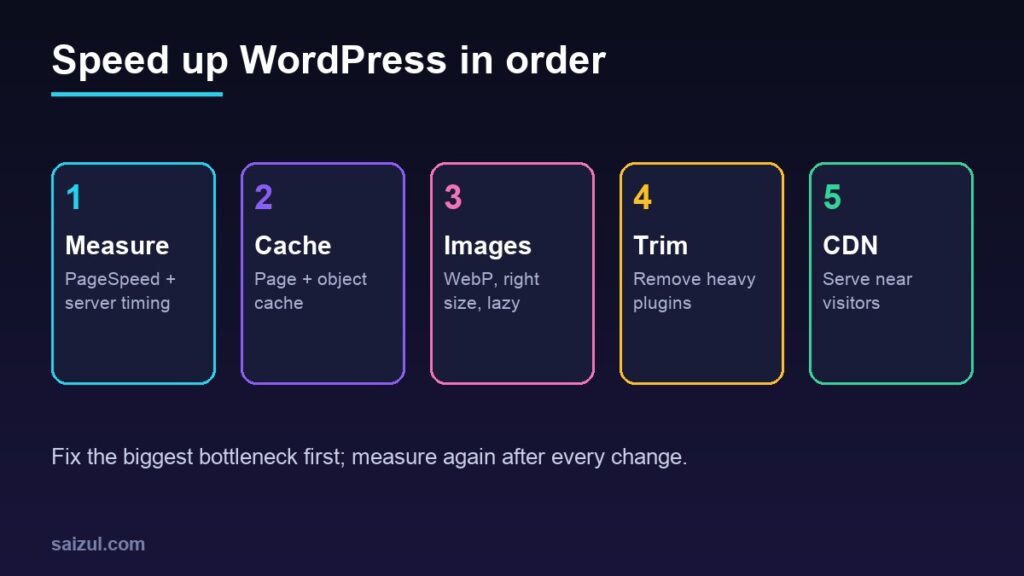
A slow WordPress site loses visitors, leads and rankings. The good news: most slowness comes from a handful of causes, and you can fix them without rebuilding the site. This is the order I use on client and own sites.
From my own work: On one of my own sites this week, an unused WooCommerce plugin was adding about 2 seconds to every uncached request. Deactivating it, converting gallery screenshots to WebP (around 88% smaller) and caching an API response cut full page load from about 9.4s to 6.4s, before any CDN.
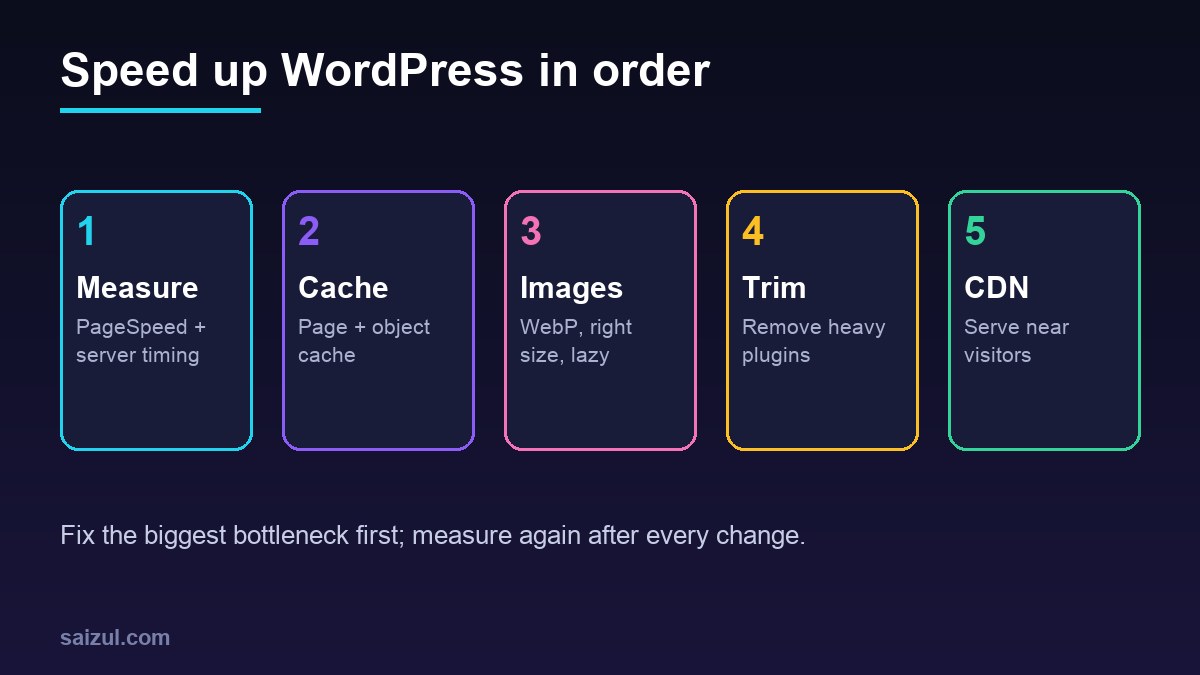
1. Measure before you change anything
Run your page through PageSpeed Insights on mobile and note LCP, INP and CLS (the Core Web Vitals). Also check server response time (TTFB). If TTFB is above about 0.8s, start with the server; if it is fine but the page is still slow, look at images and scripts.
2. Use hosting that fits your traffic
Cheap shared hosting is often the bottleneck. A small VPS or managed WordPress host with NVMe storage and enough RAM usually gives a big jump. Choose a data centre close to most of your visitors.
3. Run a current PHP version
Newer PHP versions are faster and get security fixes. Check WordPress PHP compatibility and upgrade (for example to PHP 8.3) after testing on a staging copy.
4. Turn on page caching
A page cache serves ready-made HTML instead of running PHP and database queries for every visitor. Use your host’s cache or a plugin such as Cache Enabler, WP Super Cache or LiteSpeed Cache (on LiteSpeed servers). Use only one caching plugin.
5. Add an object cache (Redis)
For dynamic pages, logged-in users and WooCommerce, Redis object caching reduces repeated database queries. Many VPS panels can install Redis in a few clicks; then enable it with the Redis Object Cache plugin.
6. Optimise images
- Convert large JPG/PNG to WebP (or AVIF).
- Upload images at the size they display, not 4000px photos for a 400px card.
- Keep lazy loading on for images below the fold, but not for the main hero image.
7. Remove plugins you don’t use
Every active plugin loads code on each request. Deactivate and delete anything you don’t need, especially big suites (shops, page builders add-ons, sliders) installed “just in case”. See my list of essential plugins for business sites.
8. Use a lightweight theme
Heavy multipurpose themes load sliders, icon packs and animations on every page. A lean theme (for example Hello Elementor, GeneratePress or Astra) gives you a faster base.
9. Delay third-party scripts
Chat widgets, heatmaps, multiple analytics tags and embedded videos often cost more than your own code. Keep only what you use and load non-critical scripts after the page is interactive.
10. Clean the database
Remove old revisions, spam comments, expired transients and leftovers from deleted plugins. Always back up first.
11. Put a CDN in front
A CDN serves your files from a location near the visitor. If your server is in Europe and your visitors are in South Asia, this can be the single biggest improvement. Read my Cloudflare setup guide.
12. Re-test and monitor
After each change, re-run PageSpeed and check the site still works (forms, checkout, login). Watch the Core Web Vitals report in Search Console over the next weeks.
Quick priority table
| Symptom | Likely cause | Fix first |
|---|---|---|
| High TTFB | Server, PHP, no cache, heavy plugins | Cache, PHP upgrade, remove plugins |
| Slow LCP | Large hero image or font | WebP, correct size, preload |
| Poor INP | Heavy JavaScript | Delay third-party scripts |
| Slow only far away | Distance to server | CDN |
Need help with this on your own site or business?
I build and secure WordPress sites, web apps and AI automations end to end, in Bangla and English: a free discovery call, a written scope with a fixed quote, a focused first version, then testing, deployment and monitoring.
See the portfolio and the AI agent services, or tell me what you need.
FAQ
What is a good page load time?
Aim for LCP under 2.5 seconds on mobile, which is Google’s “good” threshold.
Will a caching plugin alone fix everything?
No. It fixes server work for anonymous visitors, but large images, heavy scripts and distance still need their own fixes.
Can speed improve SEO?
Page experience is one of many ranking signals; the bigger win is that faster sites keep more visitors.
Sources

Md Saizul Amin
Digital Systems Strategist · AI Agent Developer · 9+ years in digital & ITMd Saizul Amin is a digital systems strategist and AI automation engineer from Dhaka, Bangladesh. With 9+ years across IT, web development and digital marketing, he writes practical guides on technology, business, education and online growth — and builds the same kinds of systems (AI agents, websites, SEO and ad campaigns) for clients in Bangladesh, the UK and the USA.
Specialist in
Credentials & experience
- 🎓B.Sc. in Computer Science & EngineeringBangladesh University of Business & Technology (BUBT), 2017–2021
- 🤖AI Automation Engineer · Web Developer · SEO SpecialistUnique Mark Limited, Birmingham UK — 2024 to present
- 🌱IT SpecialistGreen Fund Initiative Inc., USA — 2024 to present
- 🏥Junior IT Consultant — Ministry of Health (DGHS)Built the first national Shareable Health Record website; supported 6,000+ facilities
- 🧭Head of ITWEDO Bangladesh — led IT for 50+ staff, 2021–2023