In this article
Cloudflare’s free plan puts a global CDN, free SSL and basic DDoS protection in front of your WordPress site. Done carefully, it takes about 30 minutes. Done carelessly, it can break your email. Here is the safe way.
From my own work: When I move sites behind Cloudflare, the most common problem is missing email records after the nameserver change. I always copy MX, SPF, DKIM and DMARC records first and send a test email afterwards.
Why use Cloudflare?
- Speed: static files are served from data centres near your visitors.
- Security: DDoS protection, a basic firewall and bot filtering.
- Free SSL at the edge and hidden server IP.
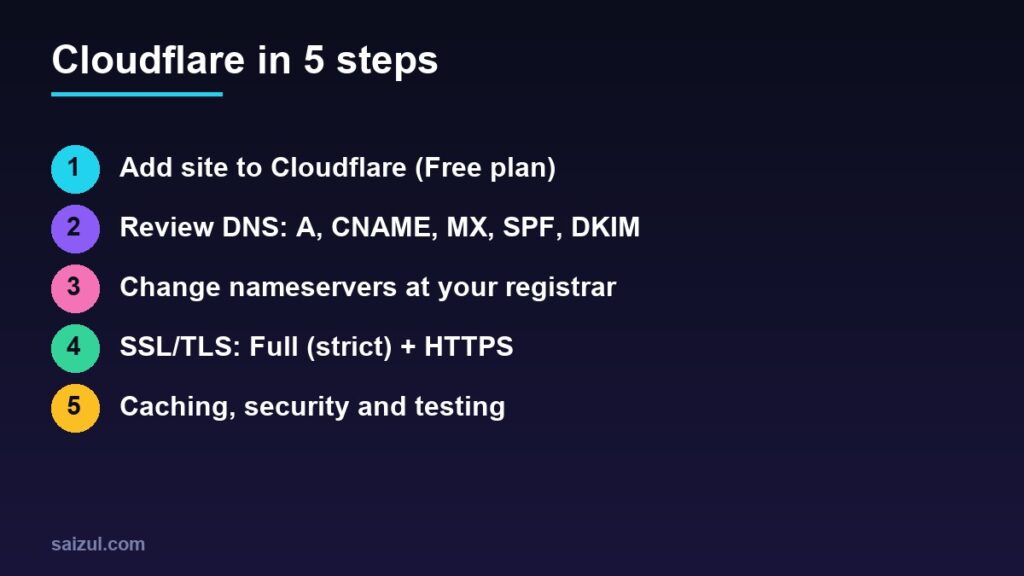
1. Add your site
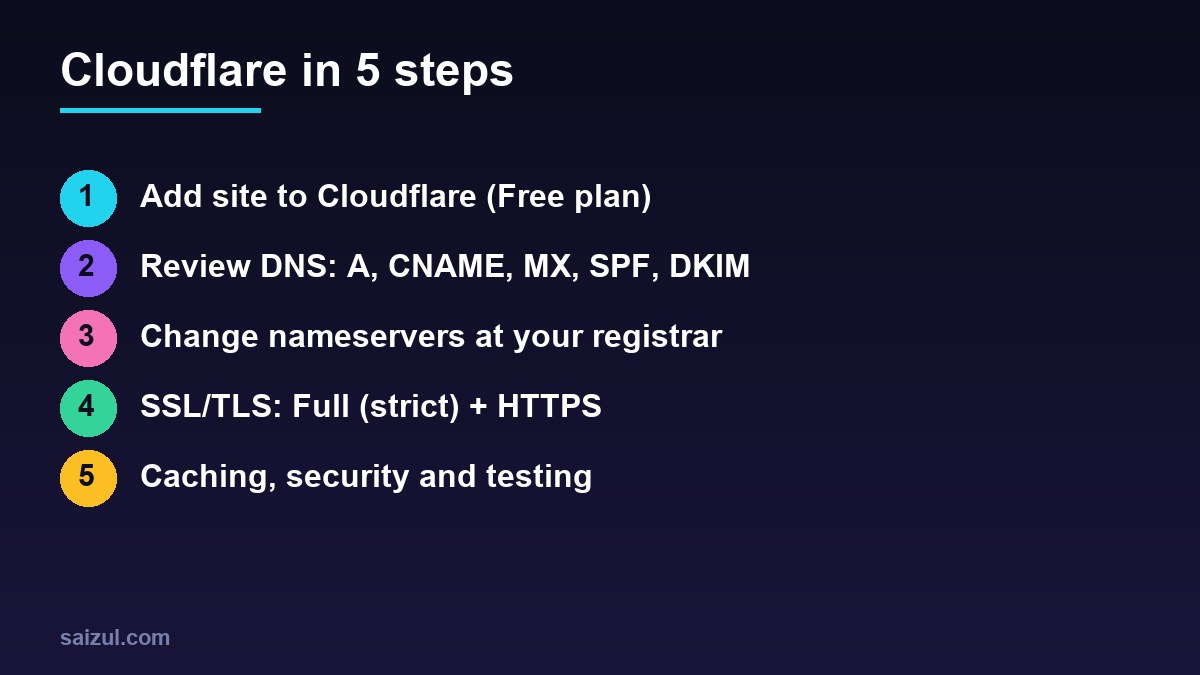
Create a Cloudflare account, choose Add a site, enter your domain and pick the Free plan (docs). Cloudflare scans your existing DNS records.
2. Review DNS records carefully
Compare the imported list with your current DNS at the registrar. Make sure these exist:
| Record | Purpose | Proxy |
|---|---|---|
| A @ / www | Your web server | Proxied (orange) |
| MX | Email delivery | DNS only |
| TXT (SPF), DKIM, DMARC | Email authentication | DNS only |
| mail, ftp, panel subdomains | Non-web services | DNS only (grey) |
3. Change nameservers
At your registrar (Namecheap, GoDaddy and so on) replace the nameservers with the two Cloudflare gives you (guide). Activation usually takes minutes to a few hours.
4. Set SSL correctly
Keep a valid certificate on your server (for example Let’s Encrypt) and set SSL/TLS mode to Full (strict) (SSL modes). Avoid “Flexible” with WordPress; it often causes redirect loops. Turn on Always Use HTTPS.
5. Caching and security settings
- Leave default caching for static files (default behaviour); do not cache
/wp-admin, login, cart or checkout. - Enable Brotli and HTTP/3.
- Set Bot Fight Mode carefully if you use uptime monitors or APIs.
- Purge the Cloudflare cache after big design changes, together with your WordPress cache.
6. Test everything
- Open the site in a private window and check HTTPS works.
- Log in to wp-admin and save a post.
- Submit your contact form.
- Send and receive a test email on your domain.
- Re-run PageSpeed; see other speed fixes.
Need help with this on your own site or business?
I build and secure WordPress sites, web apps and AI automations end to end, in Bangla and English: a free discovery call, a written scope with a fixed quote, a focused first version, then testing, deployment and monitoring.
See the portfolio and the AI agent services, or tell me what you need.
FAQ
Is Cloudflare free plan enough for WordPress?
For most small and medium sites, yes: CDN, SSL and basic protection are included.
Will Cloudflare break my email?
Only if MX, SPF or DKIM records are missing after the nameserver change, or mail records are proxied. Keep them DNS only.
Do I still need a caching plugin?
Yes. Cloudflare caches static files by default; a page cache on the server still speeds up HTML.
Sources

Md Saizul Amin
Digital Systems Strategist · AI Agent Developer · 9+ years in digital & ITMd Saizul Amin is a digital systems strategist and AI automation engineer from Dhaka, Bangladesh. With 9+ years across IT, web development and digital marketing, he writes practical guides on technology, business, education and online growth — and builds the same kinds of systems (AI agents, websites, SEO and ad campaigns) for clients in Bangladesh, the UK and the USA.
Specialist in
Credentials & experience
- 🎓B.Sc. in Computer Science & EngineeringBangladesh University of Business & Technology (BUBT), 2017–2021
- 🤖AI Automation Engineer · Web Developer · SEO SpecialistUnique Mark Limited, Birmingham UK — 2024 to present
- 🌱IT SpecialistGreen Fund Initiative Inc., USA — 2024 to present
- 🏥Junior IT Consultant — Ministry of Health (DGHS)Built the first national Shareable Health Record website; supported 6,000+ facilities
- 🧭Head of ITWEDO Bangladesh — led IT for 50+ staff, 2021–2023